
Affiliate Disclosure: This post contains affiliate links. If you buy through them, we earn a small commission at no extra cost to you. We only recommend products we would genuinely suggest to a friend.
It depends on which IKEA desk you own. ALEX, MITTZON, BEKANT, and LAGKAPTEN paired with SPÄND legs all ship with a built-in cable tray or net from IKEA. LAGKAPTEN paired with ADILS legs, the most common budget combination, has no built-in cable management at all. MICKE sits in between: it has a cable outlet at the back, but IKEA doesn’t publish the exact size anywhere. Below, we cover what each model actually has and the right fix if yours doesn’t have enough.
Key Takeaways
- ALEX, MITTZON, BEKANT, and LAGKAPTEN/SPÄND all ship with built-in cable management, confirmed on IKEA’s own product pages.
- LAGKAPTEN with ADILS legs, the combination most US buyers actually order, has no built-in cable management mentioned anywhere on IKEA’s listing.
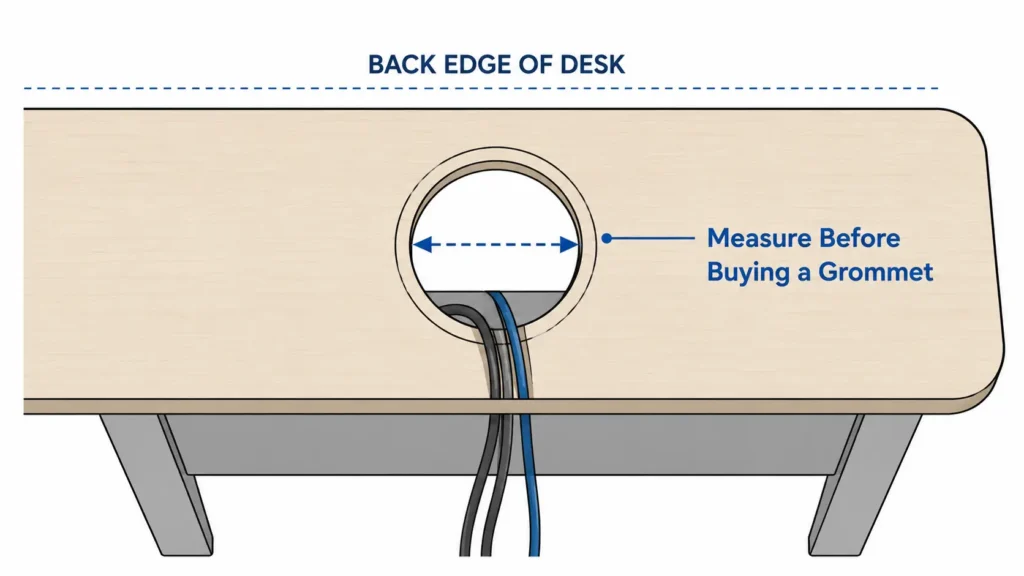
- MICKE has a cable outlet at the back, but the exact hole diameter isn’t published by IKEA, so measure before buying a grommet.
- Drilling into a hollow honeycomb desktop like LAGKAPTEN risks cracking it; a clamp-on tray avoids that risk entirely.
- The right fix depends on your exact desk and legs, not one product that works for every IKEA model.
Who this is for: This guide is for you if you own an IKEA desk (ALEX, MITTZON, BEKANT, LAGKAPTEN, or MICKE) and want to know whether it already has cable management built in before you buy anything extra.
Why “IKEA Cable Management” Isn’t the Same Question for Every Desk
Most articles about IKEA desk cable management treat it as a single question with a single answer. It isn’t. IKEA sells at least five different desk lines under the “cable management” umbrella, and what you get built in depends entirely on which one you own, and in LAGKAPTEN’s case, which legs you paired it with. A LAGKAPTEN top on SPÄND legs ships with a cable net and ties included. The same LAGKAPTEN top on ADILS legs, which is the cheaper and far more common combination in the US, ships with nothing. Buy a grommet kit sized for a hole that doesn’t exist, or skip a cable tray because you assume your desk already has one, and you end up either wasting money or living with a mess. Model by model is the only way to answer this correctly.
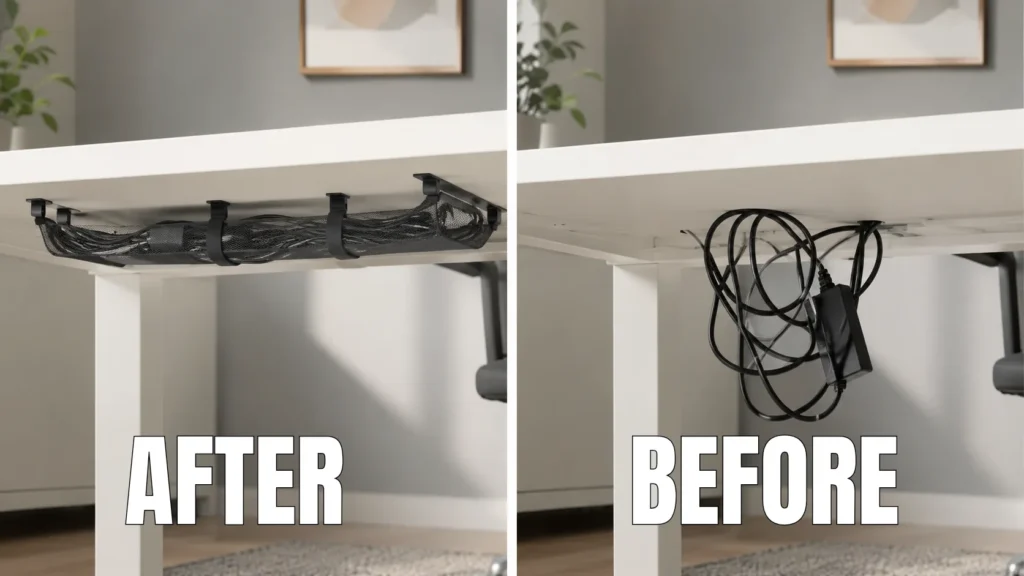
IKEA Desk Cable Management: Every Model Compared
| IKEA Desk | Legs / Variant | Built-In? | Type | Source |
|---|---|---|---|---|
| ALEX | Any (fixed legs) | Yes | Flip-up back compartment for cords + power strip | ikea.com |
| MITTZON | Any (fixed or sit/stand) | Yes | Lidded cable tray, accessible from above and sides | ikea.com |
| BEKANT | Any (fixed or sit/stand) | Yes | Cable management net under the tabletop | ikea.com |
| LAGKAPTEN | SPÄND legs | Yes | Cable management net + ties | ikea.com |
| LAGKAPTEN | ADILS legs | No | Not mentioned anywhere on IKEA’s listing | ikea.com |
| MICKE | Any | Partial | Cable outlet at back; exact hole size not published | ikea.com |
If Your Desk Already Has Built-In Cable Management: ALEX, MITTZON, BEKANT, LAGKAPTEN/SPÄND
The ALEX desk’s cable compartment is a flip-up lid at the back edge of the desktop, built for collecting cords “out of sight but close at hand,” according to IKEA’s own product page for the ALEX desk. It works well for a laptop charger and a couple of monitor cables, but IKEA doesn’t publish a weight rating, and some owners report that tall power adapters can stop the lid from closing flush. If you’re also planning to mount a monitor arm on this same desk, don’t clamp onto this cable lid. We cover the safe way to mount one in our guide to mounting a monitor arm on an IKEA desk.
The MITTZON desk includes a cable management tray that’s accessible from above and the sides, with cords tucked into a lidded compartment and routed under the table, per IKEA’s MITTZON product page. Some owners of the electric sit/stand MITTZON report the tray’s felt-like material isn’t ideal for storing a surge protector long-term. If your MITTZON is the sit/stand version, cord slack across the full height range matters too, and that’s a separate consideration we cover in our guide to cable management for standing desks.
BEKANT ships with a cable management net that hangs under the tabletop, according to IKEA’s BEKANT product page. The net is built for routing loose cords, not for holding the weight of a power strip.
LAGKAPTEN paired with SPÄND legs includes a cable management net and ties, per IKEA’s listing for that exact combination.
If any of these built-in solutions feel too small once you add a power strip, a second monitor, or a dock, the clamp-on tray covered in the next section works as an add-on for any of these desks too, since it clamps to the desktop edge and doesn’t depend on what’s already built in underneath.
If You Have LAGKAPTEN with ADILS Legs: No Built-In Cable Management
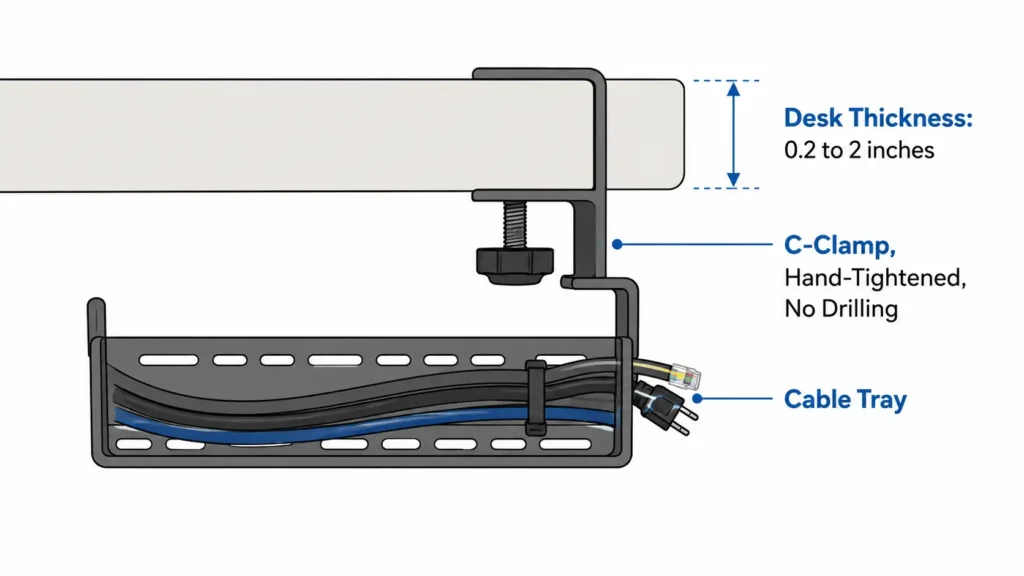
LAGKAPTEN’s tabletop uses a honeycomb structure paper filling inside, confirmed on IKEA’s own materials listing for the desk. That core is fine for everyday desk use, but it isn’t solid wood, so drilling a grommet hole through it risks cracking the surface around the hole. The safer fix is a tray that clamps to the desk edge instead of one that requires drilling through the top.
VIVO DESK-CM6L-B No-Drill Clamp-On Cable Management Tray
Material: Steel
Tray size: 17 x 6 x 5.8 in
Fits desktops: 0.2″–2″ thick
Capacity: 11 lbs
Mount: dual C-clamps, no drilling
Best for: LAGKAPTEN/ADILS owners who want a power strip and cords off the floor without drilling into a hollow tabletop.
(affiliate link)
If You Have MICKE: Cable Outlet Exists, But the Size Isn’t Published
A simpler fix that sidesteps the guesswork entirely is a tray that mounts to the underside of the desktop with screws instead of matching a grommet to the existing hole. The VIVO DESK-AC06-1C is a steel tray that installs under any wood or particleboard desktop with the included screws, spaced 11 inches apart, and holds up to 11 pounds, according to VIVO’s product listing. Since it doesn’t rely on the cable outlet’s exact size, it works whether your hole turns out to be 2.5 inches or 3.5 inches.
VIVO DESK-AC06-1C Under Desk Cable Management Tray
Material: Steel
Tray size: 16.5 x 3 in
Mount: screws into wood/particleboard, holes 11″ apart
Capacity: 11 lbs
Best for: MICKE owners who want a dedicated spot for a power strip without needing to know the exact cable hole diameter first.
(affiliate link)
Putting It Together
Check your exact model and legs against the table above before buying anything. If you already have ALEX, MITTZON, BEKANT, or LAGKAPTEN on SPÄND legs, the built-in solution likely covers everyday use, and you only need an add-on tray if you’re routing a power strip plus multiple devices. If you have LAGKAPTEN on ADILS legs, skip drilling and go with a clamp-on tray. If you have MICKE, measure your own cable outlet before ordering a grommet, or sidestep the question entirely with a screw-mounted tray.
Still not sure which category your desk falls into, or whether your leg combination has cable management? Send us a message through our contact form and tell us your exact model. We’ll help you figure it out.
FAQ
Does every IKEA desk have built-in cable management?
Why doesn’t LAGKAPTEN always have cable management?
Is it safe to drill a cable grommet hole into a LAGKAPTEN desktop?
What size is the cable hole on an IKEA MICKE desk?
Can I add cable management to a MICKE desk without knowing the exact hole size?
Will a clamp-on cable tray damage my desktop?
Does the ALEX desk’s built-in cable compartment hold a power strip?
Do I need to buy a cable tray if my IKEA desk already has built-in cable management?
Every measurement and spec in this guide comes from our own research. If you notice something that doesn’t match, whether it’s a wrong number or a calculation mistake on our end, tell us through the comments or our contact form. We’ll fix it right away.
Related Guides
- Will a Monitor Arm Fit Your IKEA Desk? (5 Models Checked)
- Best Cable Management for Standing Desks (Fit Checked)
- Will a Cable Tray Fit Your Standing Desk?

I got interested in home office setups and noticed most buying guides online tell you if a product is ‘good,’ but never tell you if it will actually fit your specific desk. Does It Fit My Team exists to close that gap, with real measurements, verified sources, and straight answers.