
Yes, in most cases, if your monitor weighs between 6 and 28 lbs and uses a 100x100mm VESA mount (75x75mm is also supported using the included extended screws). Humanscale doesn’t publish an exact desk edge thickness range for the clamp mount the way some competitors do, so it’s worth confirming with Humanscale support or buying from a retailer with an easy return policy before you order.
Key Takeaways
- The Humanscale M8.1 single-monitor arm is rated for displays weighing 6 to 28 lbs, with a 100x100mm VESA mount standard (75x75mm also works using the included extended screws)
- Height adjustment runs roughly 7.6 to 17.7 inches, with about 10 inches of lift, and the arm supports up to 80 degrees of tilt
- It mounts via a two-piece desk clamp or bolt-through grommet, and also supports slatwall, direct wall mount, and specialty office furniture systems, more mounting flexibility than most consumer monitor arms
- Humanscale does not publish an official desk clamp thickness range in its spec sheets, unlike Ergotron; this is worth confirming directly before ordering
This guide is for you if you’re comparing the Humanscale M8.1 against consumer options like Ergotron before an office or home office purchase, or researching a premium monitor arm for a professional setup where mounting flexibility (wall, slatwall, or built-in furniture systems) matters more than getting it delivered from Amazon tomorrow.
What Determines Whether the Humanscale M8.1 Fits Your Setup
The M8.1 is Humanscale’s mid-tier single-monitor arm, positioned between the lighter M2.1 and the heavier-duty M10. Fit comes down to three things: your monitor’s weight and VESA pattern, how you plan to mount it (clamp, bolt-through, or something less common like slatwall), and how much reach and height adjustment you actually need. Since this is an enterprise-grade product rather than a consumer one, some of the fine print (like exact clamp thickness) isn’t published the way it is on more Amazon-focused brands, which is worth knowing before you buy. If you’re comparing spec sheets, you’ll often see this arm listed simply as the Humanscale M8.1 mounting arm for monitor setups in office furniture catalogs.
Step 1: Check Your Monitor’s Weight and VESA Pattern
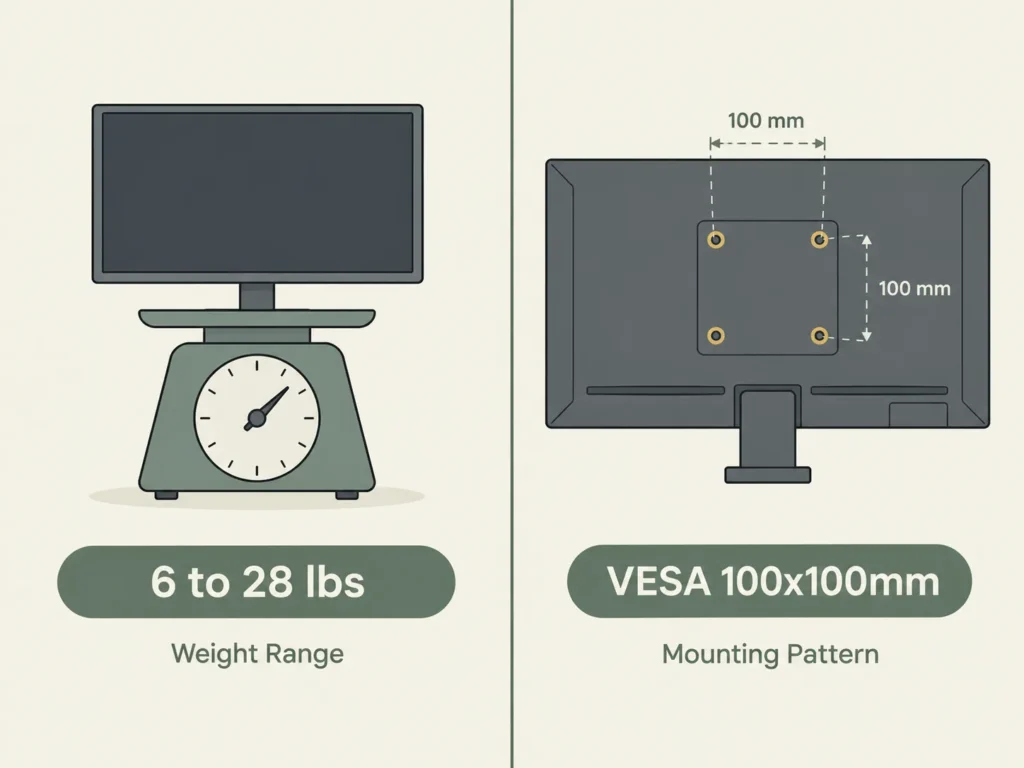
The single-monitor M8.1 is rated for displays weighing 6 to 28 lbs, confirmed consistently across multiple authorized Humanscale resellers including Staples Business and BTOD. It uses a 100x100mm VESA mounting interface as standard, and the included extended screws also accommodate a 75x75mm pattern, so most modern monitors will mount without needing a separate adapter.
If you’re setting up two monitors, Humanscale sells a separate dual-monitor version with a crossbar attachment, generally rated for up to 12 lbs per monitor with the crossbar installed. That’s a different weight calculation than the single-arm version covered in this guide.
Step 2: Understand Your Mounting Options
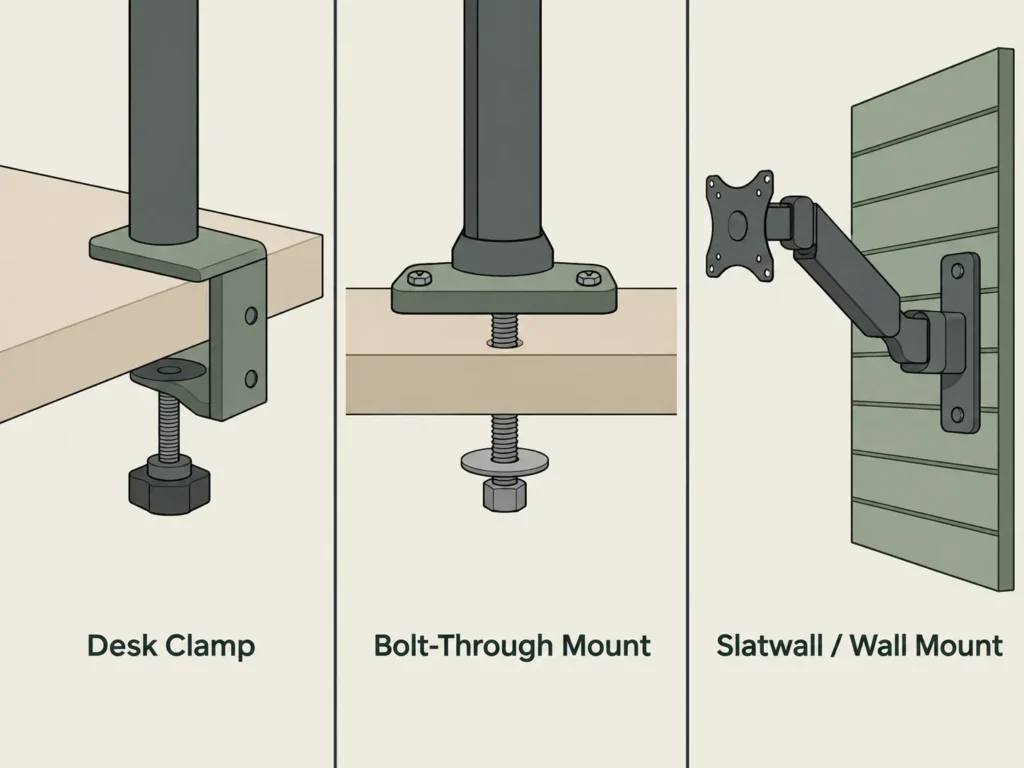
One thing that sets the M8.1 apart from most standing desk-focused arms is how many mounting options it officially supports: a two-piece desk clamp, a bolt-through grommet mount, slatwall, direct wall mount, and compatibility with specialty office furniture systems like Frame One and c:scape. For a typical home standing desk, you’ll be choosing between the clamp and the grommet, the same choice you’d make with most other arms. But if you’re mounting this in a shared office, a hot-desking setup, or built-in furniture that doesn’t have a standard desk edge, the slatwall and wall mount options are worth knowing about, since most consumer arms don’t offer them at all.
Step 3: The Desk Clamp Thickness Gap Worth Knowing About
Here’s something we noticed while researching this arm: Humanscale’s official spec sheets and every authorized reseller listing we checked do not publish an exact desk edge thickness range for the M8.1’s clamp mount, the way Ergotron publishes a specific inch range for its arms. We were not able to verify this number from an official source, so rather than guess, we’re flagging it directly. If your desk has an unusually thick or unusually thin front edge, it’s worth contacting Humanscale support or your reseller directly to confirm fit before ordering, especially since these arms cost significantly more than consumer alternatives and returns can be more involved through a business reseller.
Step 4: Check Your Reach and Height Needs
The M8.1 gives you roughly 7.6 to 17.7 inches of height adjustment (about 10 inches of lift), with up to 80 degrees of tilt, 180 degrees of pan, and 360 degrees of swivel, based on specs confirmed across multiple authorized resellers. This is a comparable range to mid-tier consumer arms, so if you’re mounting it on a standing desk, the reach itself generally isn’t a limiting factor the way clamp thickness might be.
How It Compares to Ergotron
If you’re weighing the M8.1 against more consumer-focused options, here’s how the specs line up against the two Ergotron arms we’ve covered on this site.
| Spec | Humanscale M8.1 | Ergotron LX | Ergotron HX |
|---|---|---|---|
| Weight capacity | 6 to 28 lbs | 7 to 25 lbs | 20 to 42 lbs |
| VESA pattern | 100x100mm (75x75mm compatible) | 75x75mm or 100x100mm | 75x75mm to 200x200mm |
| Clamp thickness spec | Not officially published | 0.4″ to 2.4″ | 0.4″ to 2.59″ |
If getting something delivered quickly from Amazon with a straightforward return policy matters more to you than the M8.1’s extra mounting flexibility, our Ergotron LX guide covers a lighter-duty option in a similar weight range, and our Ergotron HX guide covers the heavier-duty option if your monitor is on the larger side.
Where to Buy
The Humanscale M8.1 is not sold on Amazon. It’s an enterprise office furniture product sold through business resellers. As of this research, it’s available through:
Humanscale (official site): humanscale.com, request a quote through their sales team
Staples Business: staples.com, listed under office furniture accessories
BTOD.com: btod.com, an authorized Humanscale reseller
None of these are affiliate links. We’re listing them because they’re where we verified current pricing and stock during research, not because we earn anything from a purchase.
FAQ
Is the Humanscale M8.1 available on Amazon?
What’s the difference between the Humanscale M8.1 and M8 Pro?
Does the M8.1 fit a standing desk?
Can the M8.1 hold two monitors?
Why doesn’t Humanscale publish a clamp thickness range like Ergotron does?
Is the Humanscale M8.1 worth the higher price compared to Ergotron?
Every measurement and spec in this guide comes from our own research. If you notice something that doesn’t match, whether it’s a wrong number or a calculation mistake on our end, tell us through the comments or our contact form. We’ll fix it right away.
Related Guides
- Ergotron LX Monitor Arm: Will It Fit Your Desk? (Checked)
- Ergotron HX Monitor Arm: Will It Fit Your Desk? (Checked)
- Do Monitor Arms Damage Desks? (What Most Buyers Don’t Realize)
- Will a Monitor Mount Fit Your Adjustable Desk? (Do Not Order Until You See This)

I got interested in home office setups and noticed most buying guides online tell you if a product is ‘good,’ but never tell you if it will actually fit your specific desk. Does It Fit My Team exists to close that gap, with real measurements, verified sources, and straight answers.