
Affiliate Disclosure: This post contains affiliate links. If you buy through them, we earn a small commission at no extra cost to you. We only recommend products we would genuinely suggest to a friend.
Direct Answer
Yes, in most cases, if your monitor weighs between 20 and 42 lbs, uses a 75x75mm to 200x200mm VESA mount, and your desk has an exposed edge between 0.4 and 2.59 inches thick for the clamp (or a spare hole for the included grommet mount).
Key Takeaways
- The Ergotron HX Desk Monitor Arm is rated for displays weighing 20 to 42 lbs; monitors lighter than 20 lbs may not stay balanced because the arm’s spring tension is calibrated for the heavier range
- It supports VESA patterns from 75x75mm up to 200x200mm, covering most large monitors and TVs up to 49 inches
- The included desk clamp needs 0.4 to 2.59 inches of exposed edge thickness; a grommet mount is included as a backup if your desk edge is thicker or has no clampable lip
- Curved ultrawide monitors like the Samsung Odyssey G9 need the HX version with HD Pivot (45-647 series), not the standard HX arm
This guide is for you if you already have a large or heavy monitor (or are about to buy one) and want to know if the Ergotron HX arm will actually clamp onto your desk and hold that screen without drooping or drifting.
What Determines Whether the Ergotron HX Fits Your Setup
The Ergotron HX Desk Monitor Arm is built for large, heavy monitors, not the lightweight 24-inch office displays most budget arms are designed around. Because of that, fit isn’t just about whether the clamp physically closes around your desk. It comes down to four things matching up together: your monitor’s weight, its VESA mounting pattern, your desk’s edge thickness, and how far you need the arm to reach. Miss any one of these and the arm either won’t attach, won’t hold the screen steady, or will be rated for a lot more monitor than you actually own.
Step 1: Check Your Monitor’s Weight Against the 20 to 42 lb Range
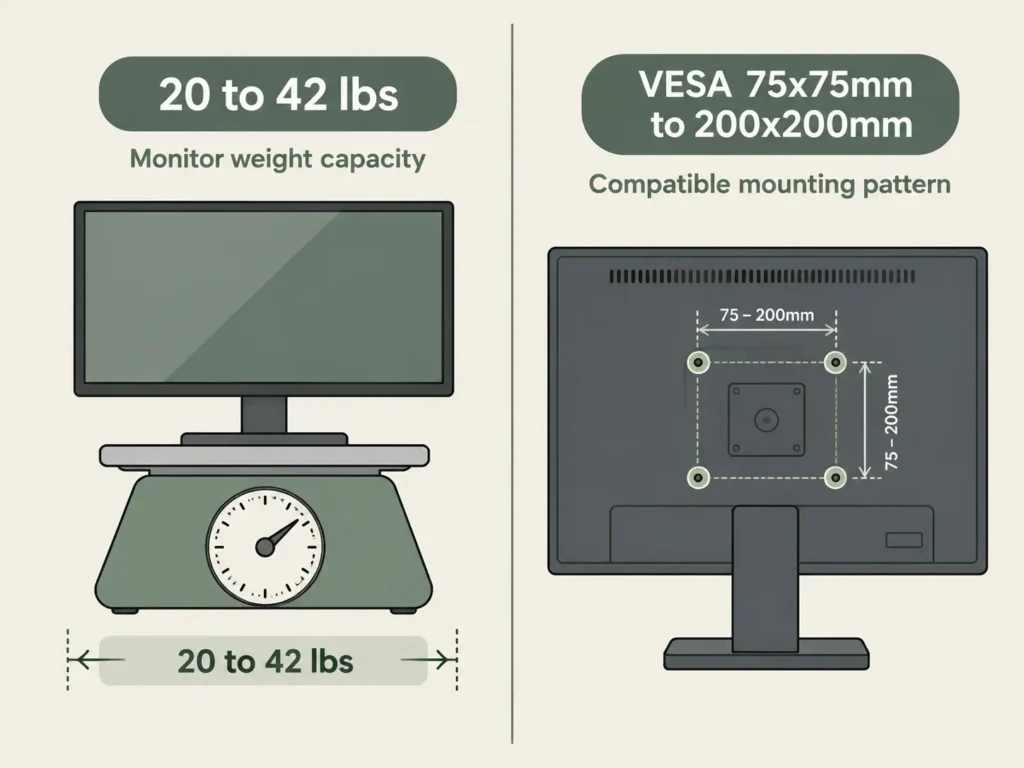
Ergotron rates the HX Desk Monitor Arm for displays weighing between 20 and 42 lbs (9.1 to 19.1 kg), according to the official Ergotron product page. This is a heavy-duty arm, and that lower limit matters more than most buyers expect. The arm’s Constant Force spring mechanism is tuned to counterbalance monitors in this weight range specifically. A monitor noticeably lighter than 20 lbs can sit unevenly or drift upward on its own, because the spring is pushing back harder than the screen’s weight needs. B&H’s product Q&A page confirms a monitor “slightly lighter than 20 lb” is usually fine, but going much lower than that is where balance problems start.
If your monitor weighs less than about 18 lbs, the lighter-duty Ergotron LX arm is generally the better match, not the HX. If your monitor is right at or above 42 lbs, including many 49-inch ultrawide and curved displays, check Step 5 below before buying, since those often need a different HX variant.
Step 2: Match the VESA Mounting Pattern
Your monitor needs a VESA mounting pattern the HX arm actually supports. According to the Amazon listing for the HX Premium Heavy Duty arm, it’s compatible with 75x75mm, 100x100mm, 200x100mm, and 200x200mm patterns out of the box. If your monitor uses a larger pattern than 200x200mm, Ergotron sells a separate VESA Bracket Adaptor Kit (97-759) to extend compatibility.
You’ll find your monitor’s VESA pattern printed on the back panel or in its manual. If you can’t find it, measuring the four mounting screw holes on the back of the monitor (in millimeters, hole to hole) will tell you directly.
Step 3: Measure Your Desk Edge Thickness for the Clamp
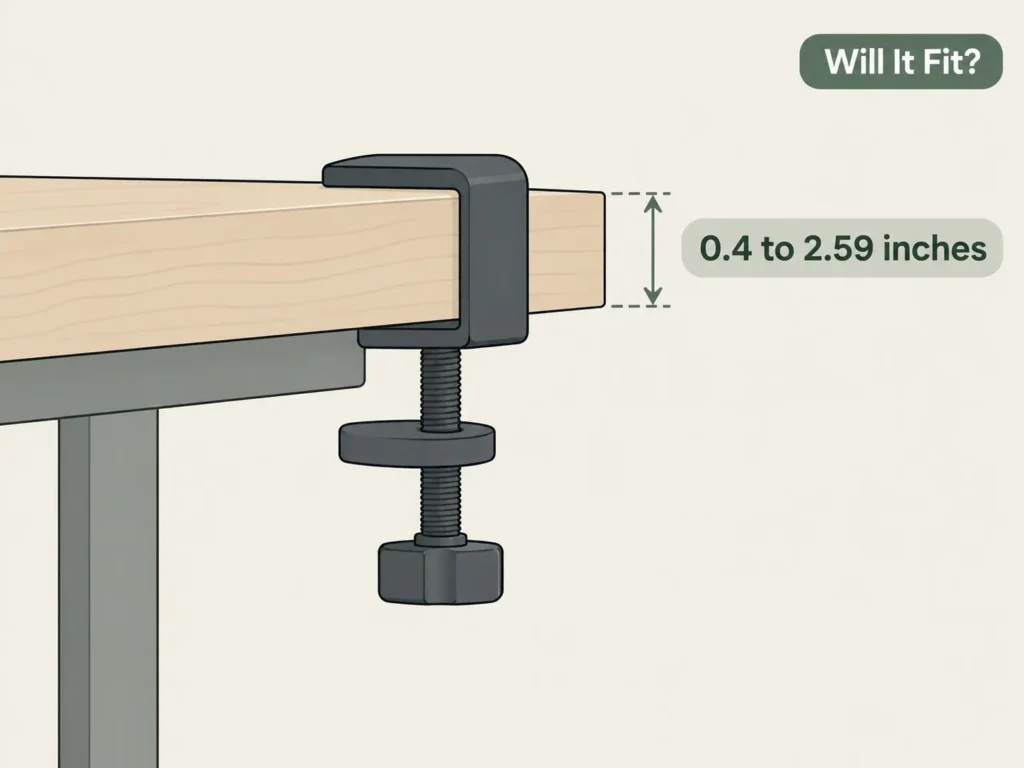
The HX arm attaches with a two-piece edge clamp built for desk or countertop edges between 0.4 and 2.59 inches thick, confirmed on the B&H product page. Most standard desktops, including standing desk tops from FlexiSpot, Uplift, and IKEA, fall inside this range. Thick butcher-block or reclaimed-wood desktops sometimes exceed 2.59 inches at the front edge, so it’s worth measuring with a tape measure before ordering rather than assuming.
If your desk’s edge is too thick, or you’d rather not clamp onto a visible edge at all, the HX arm also ships with a grommet mount that installs through a hole in the desktop, which most standing desks under about 1.5 inches of top thickness can accept with a standard grommet hole. One setup this doesn’t work for is a solid glass desktop, since glass can’t be safely drilled for a grommet or reliably gripped by an edge clamp without an aftermarket adapter plate, a compatibility limitation not many product pages call out clearly.
Step 4: Check Your Reach and Height Needs
Once the weight, VESA, and clamp all check out, the last thing to confirm is whether the arm’s motion range matches how you actually want to position your screen. The HX arm gives you 6.3 to 17.8 inches of height adjustment (11.5 inches of lift) and up to 23.6 inches of horizontal extension, based on B&H’s published specs. Tilt runs from -5° to 70°, with a full 360° rotation and 180° pan.
If you’re mounting the monitor over a standing desk, keep in mind the arm’s height range is measured from wherever the clamp sits, not from the floor, so a monitor on a raised standing desk will sit noticeably higher than the same arm on a fixed desk.
Step 5: Curved and Ultrawide Screens Need a Different HX Version
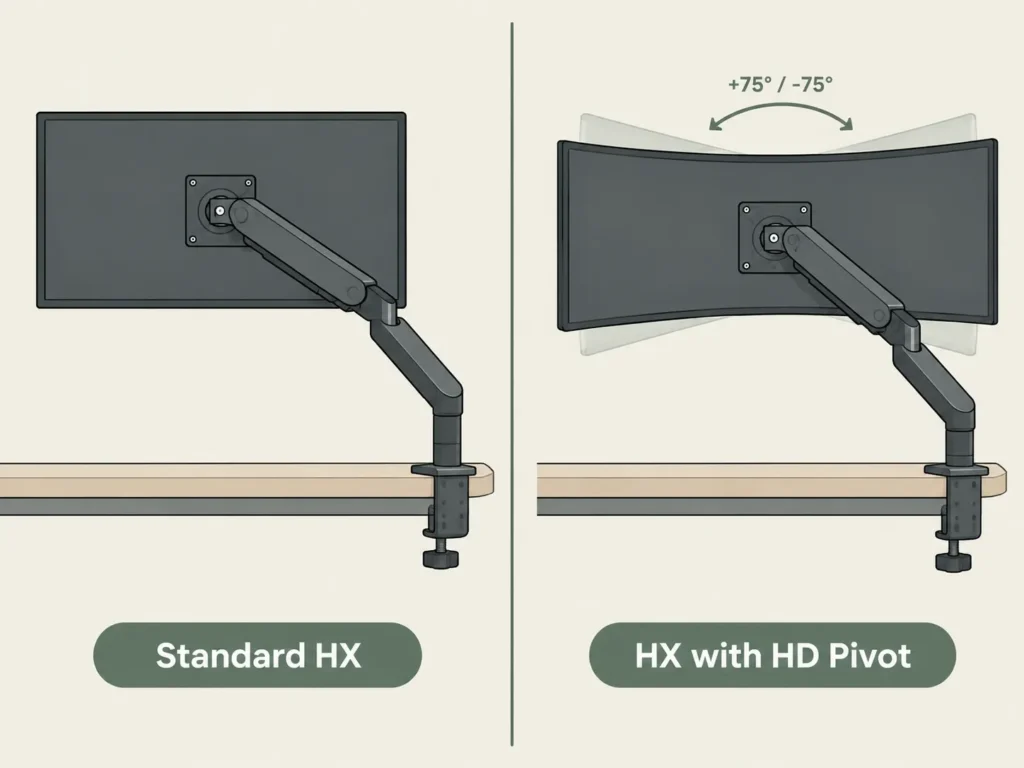
The standard HX Desk Monitor Arm covers most flat and mildly curved monitors up to 42 lbs. But displays like the Samsung Odyssey G9 (a 49-inch, 1000R curved ultrawide) need the HX Desk Monitor Arm with HD Pivot (model 45-647-series), which adds extra tilt clearance so the curved bottom edge of the screen doesn’t hit the desk clamp. If you already own the standard HX arm and want to add this later, Ergotron also sells the HD Pivot as a standalone accessory (98-540-216) rather than requiring a full arm replacement.
Comparison Table: HX Desk Monitor Arm vs HX with HD Pivot
| Spec | HX Desk Monitor Arm (Standard) | HX Desk Monitor Arm with HD Pivot |
|---|---|---|
| Weight capacity | 20 to 42 lbs | HX Desk Monitor Arm (Standard) |
| Best for | Flat and mildly curved monitors up to 49″ | 1000R/1800R curved ultrawide monitors like Odyssey G9 |
| VESA pattern | 75x75mm to 200x200mm | 75x75mm to 200x200mm |
| Clamp thickness | 0.4″ to 2.59″ | 0.4″ to 2.59″ |
| Extra clearance for curve | No | Clamp thickness |
Sources: Ergotron official page for standard HX. B&H product listing for HD Pivot version.
If you’re setting up two monitors instead of one, this single-arm version isn’t the one you want. Our dual monitor arm fit guide covers the separate weight-per-arm math you’ll need for a two-screen setup.
Product We Recommend
Ergotron HX Desk Monitor Arm (Single Monitor)
Built for large, heavy monitors up to 42 lbs, this arm frees up desk space while keeping big screens steady with Ergotron’s Constant Force technology. It includes both a desk clamp and a grommet mount, so it works whether or not your desk has a clampable edge.
Best for: Single monitors or TVs between 20 and 42 lbs, up to 49 inches
Weight capacity: 20 to 42 lbs
VESA pattern: 75x75mm to 200x200mm
Clamp thickness: 0.4″ to 2.59″
Warranty: 10 years
(affiliate link)
If You’re Not Sure Your Desk Can Handle Any Monitor Arm
A monitor arm this heavy-duty puts real leverage on your desktop, even when it’s clamped correctly within spec. If you’re mounting it on a lightweight, laminate, or particle-board desk, it’s worth reading our guide on whether monitor arms damage desks before you drill or clamp anything. And if your desk is an IKEA model specifically, our IKEA monitor arm compatibility guide checks clamp thickness model by model, since IKEA desktops vary more than most brands.
Still not sure if the HX arm will work with your specific desk or monitor? Reach out through our contact form, and tell us your desk brand and monitor weight, we’re happy to help you check it.
FAQ
Does the Ergotron HX monitor arm work with light monitors under 20 lbs?
Can the Ergotron HX arm mount to a standing desk?
What’s the difference between the HX arm and the HX arm with HD Pivot?
Does the Ergotron HX arm fit a glass desk?
Do I need a separate mount for two monitors?
Will the Ergotron HX arm fit a desk thicker than 2.59 inches?
Every measurement and spec in this guide comes from our own research. If you notice something that doesn’t match, whether it’s a wrong number or a calculation mistake on our end, tell us through the comments or our contact form. We’ll fix it right away.
Related Guides
- Will a Dual Monitor Arm Fit Your Desk? (Everything You Must Measure Before Buying)
- Do Monitor Arms Damage Desks? (What Most Buyers Don’t Realize)
- Will a Monitor Arm Fit Your IKEA Desk? (5 Models Checked)
- Will a Monitor Mount Fit Your Adjustable Desk? (Do Not Order Until You See This)

I got interested in home office setups and noticed most buying guides online tell you if a product is ‘good,’ but never tell you if it will actually fit your specific desk. Does It Fit My Team exists to close that gap, with real measurements, verified sources, and straight answers.