
Affiliate Disclosure: This post contains affiliate links. If you buy through them, we earn a small commission at no extra cost to you. We only recommend products we’d genuinely suggest to a friend.
You found a monitor mount you like. The reviews look solid. The price is right. You’re about to hit buy.
Stop for two minutes. There are four things about your adjustable desk that will decide whether that mount works perfectly or becomes a frustrating return shipping problem. And none of them are on the product page.
I’ve put together this guide specifically for adjustable desks because they have one extra issue that regular desks don’t: they move. That movement changes everything about how a monitor mount behaves over time. Let’s get into it.
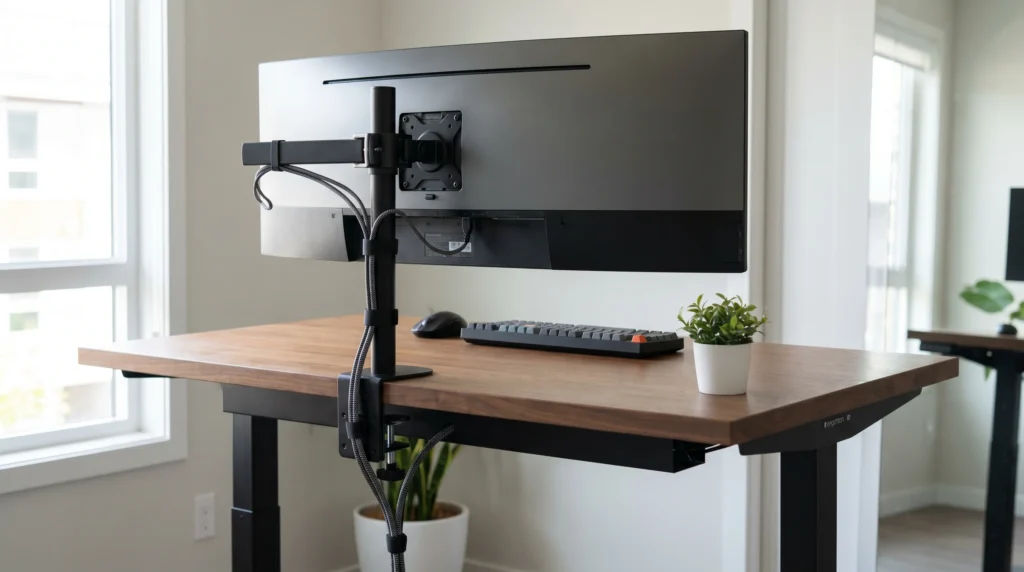
The 4 Things That Decide If a Monitor Mount Fits Your Adjustable Desk
Most monitor mount problems happen before the arm ever gets installed. Here’s what to check on your desk right now, before you order anything.
1. Desk Thickness
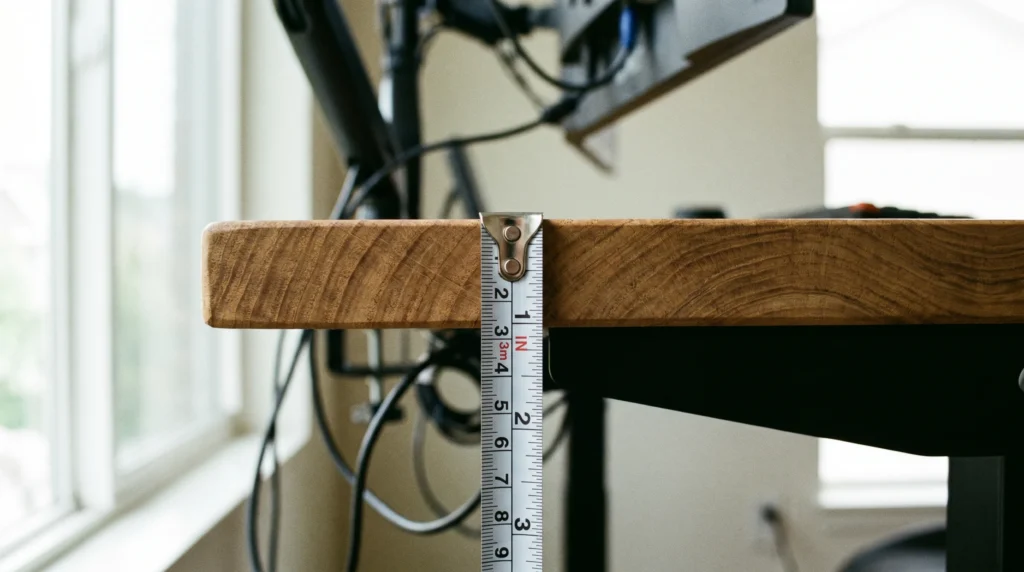
This is the number one reason monitor mounts get returned. A standard C-clamp monitor mount works with desks between 10mm and 50mm thick (about 0.4 to 2 inches). Most adjustable standing desks sit around 25mm, which puts them right in the safe zone. But some budget desks are only 18mm, and a few premium solid wood tops go over 50mm.
Here’s what you do: grab a tape measure and measure the thickness at the rear edge of your desk. Not the center. Not the front. The exact spot where the clamp will sit. That number is what matters.
Important: Measure at the rear edge, not the center of the desk. Cable trays, steel rails, and edge banding can reduce clamp clearance. If your desk has any of those, measure from the actual clamp spot.
2. Edge Shape
Run your hand along the rear edge of your desk. Is it flat and square? Or does it curve downward?
A C-clamp needs a flat, square edge with at least 2 inches of depth to grip properly. If your desk has a rounded or beveled edge, the clamp will sit at an angle and slowly work itself loose over time, especially when the desk raises and lowers.
Rounded edge? Go with a grommet mount instead.
A grommet mount goes through a hole in the desk surface. It is far more stable on adjustable desks with non-square edges.
3. Monitor Weight vs. Arm Capacity
Every monitor arm has a weight limit. Most single-arm mounts handle 15 to 22 lbs. Dual-arm setups need a minimum of 33 lbs of capacity.
Here’s why this matters more on an adjustable desk: every time you raise or lower the desk, the motor creates vibration that travels through the frame to the mount. An arm that’s right at its weight limit will slowly develop sag and drift. You’ll notice your monitor tilting forward after a few weeks.
Always pick a mount rated for at least 20% more than your monitor’s actual weight. Check your monitor’s spec sheet for the exact number. It’s listed under “weight” or “net weight.”
Monitor arm sag on adjustable desks is also a wobble issue. We covered exactly why arms cause wobble and how to prevent it.
Read: Will a Monitor Arm Make a Standing Desk Wobble?
4. VESA Pattern
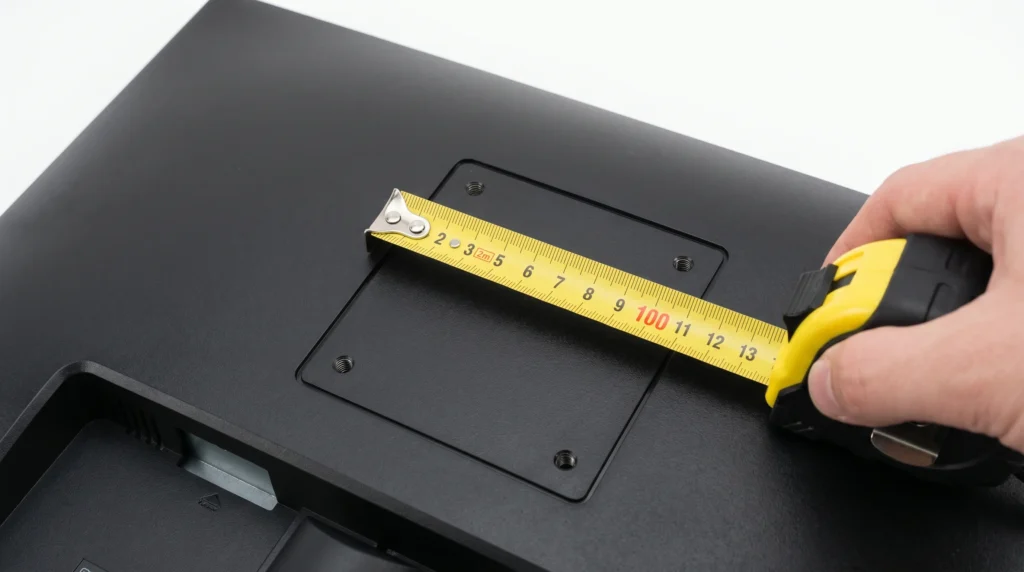
Flip your monitor around. On the back, you’ll see four screw holes arranged in a square pattern. That’s your VESA mount.
The two standard sizes are 75x75mm and 100x100mm. Almost every monitor arm supports both. But before you assume yours does, check the arm’s product listing under “VESA compatibility.” Some ultrawide monitors use non-standard patterns like 200x100mm, and a lot of budget arms won’t fit those.
Buying an arm for an ultrawide? Check the VESA pattern first.
Non-standard patterns (200x100mm) are the most common source of returns. The arm listing will say which VESA sizes it supports.
Clamp vs. Grommet Mount: Which One Is Better for an Adjustable Desk?
| What to Check | Clamp Mount | Grommet Mount |
|---|---|---|
| Setup | No drilling needed | Needs a hole in the desk |
| Edge requirement | Flat, square edge only | Works on any edge shape |
| Stability on adjustable desk | Good if edge is flat | Better overall |
| Best for | Standard square-edge desks | Rounded edges or heavy monitors |
For most adjustable desks with a standard square edge, a clamp mount works fine. If your desk has a rounded edge or you plan on adjusting the height multiple times a day, a grommet mount will hold better over time.
The One Thing Everyone Misses: Cable Slack
This is the thing nobody thinks about until it’s already a problem. When you go from sitting height to standing height on an adjustable desk, the surface travels 12 to 18 inches upward. Every cable connected to your monitor travels with it. If those cables don’t have enough slack, they’ll pull tight at full height. That’s annoying at best and can pull a cable out of your machine at worst.
Before you lock in a cable management setup, sit at your desk and raise it to full standing height. Watch what the monitor arm cables do. If any cable goes taut, you need a longer cable or a different routing path.
Cable management on adjustable desks is a whole separate problem. We tested which cable trays actually fit most standing desk frames.
Read: Will a Cable Tray Fit Your Standing Desk?
The Monitor Mount That Works Best With Adjustable Desks
Ergotron LX Single Monitor Arm
• Clamp range: fits desks 10mm to 34mm thick (covers 95% of standing desks)
• Weight capacity: up to 25 lbs, 20% more than most single monitors
• VESA compatibility: 75x75mm and 100x100mm both supported
• Gas spring tension: adjustable so it holds position after every height change
• Cable management: internal routing keeps cables hidden as the desk moves
• Build quality: aluminum construction, does not loosen over time
• Best for: Anyone with a standard adjustable desk who wants it to work and stay working.
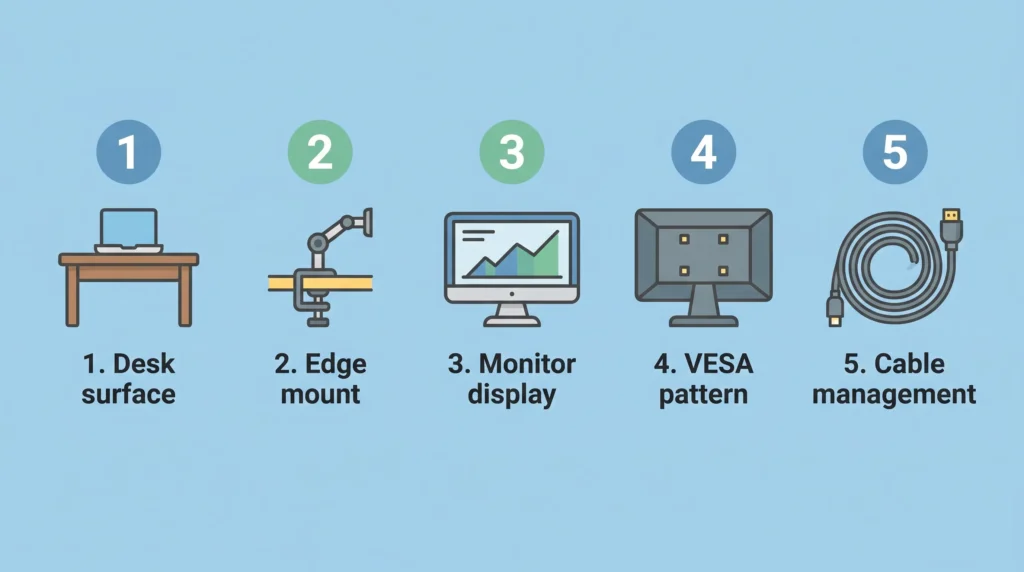
Your Pre-Purchase Checklist: 5 Things to Confirm Before You Buy
| What to Check | Measurement Needed | Pass if… |
|---|---|---|
| Desk thickness | Measure at the rear edge | 10mm to 50mm (0.4″ to 2″) |
| Edge shape | Look at the desk edge | Flat and square, not rounded |
| Monitor weight | Check monitor spec sheet | Under arm’s weight limit |
| VESA pattern | Check back of monitor | 75x75mm or 100x100mm |
| Cable slack | Full height range distance | 12 to 18 inches of slack |
One more thing worth checking: does your desk wobble at full height? A shaky frame makes any monitor mount feel unstable, even a good one.
Read: How to Fix a Wobbly Standing Desk
FAQ
Q: Can I use any monitor mount on an adjustable standing desk?
Q: What desk thickness do I need for a monitor mount clamp?
Q: Is a clamp mount or grommet mount better for a standing desk?
Q: Will my monitor arm wobble every time I adjust the desk height?
Q: Does my monitor need to have VESA holes for a monitor arm?
Quick Summary
• Measure desk thickness at the rear edge. You need 10mm to 50mm.
• Check the edge shape. Rounded edges need a grommet mount, not a clamp.
• Pick a mount rated for at least 20% more than your monitor’s weight.
• Confirm your monitor’s VESA pattern: 75x75mm or 100x100mm.
• Leave 12 to 18 inches of cable slack for the full height range.
• For adjustable desks, the Ergotron LX is the most reliable single arm.
• Wobble after setup is usually a loose clamp or low arm tension, not the desk.
Not sure if your specific desk and mount will work together?
Every desk edge is different. Every monitor arm has its own clamp range. If you want a straight answer for your exact setup. Send us a message through our contact form. Share your desk model and the mount you’re looking at, and we’ll tell you if it’ll work before you spend a dime.

I got interested in home office setups and noticed most buying guides online tell you if a product is ‘good,’ but never tell you if it will actually fit your specific desk. Does It Fit My Team exists to close that gap, with real measurements, verified sources, and straight answers.