
Affiliate Disclosure: This post contains affiliate links. If you purchase through them, we may earn a small commission at no extra cost to you. Every product we recommend has been carefully researched to make sure it actually solves your problem.
Yes, a monitor arm clamp will fit your bamboo standing desk. But there is one thing you should do before tightening it if you want to avoid damaging the desktop over time.
So you have got a bamboo standing desk. Clean look, eco friendly, solid surface. And now you want to add a monitor arm to free up some space. Good idea. But here is what many people do not realize before tightening that clamp:
Bamboo is durable, but it is not immune to pressure damage. A standard C clamp concentrates force into a very small area, and over time that pressure can leave visible marks or indentations on the desktop surface.
It usually does not happen immediately. In many cases the desk looks perfectly fine for weeks or even months. Then one day you remove the clamp and notice a small impression where the pressure has been concentrated for a long period.
The good news? This is usually preventable with one simple fix. By the end of this guide, you will know exactly how to mount a monitor arm on a bamboo standing desk while minimizing the risk of dents and pressure marks.
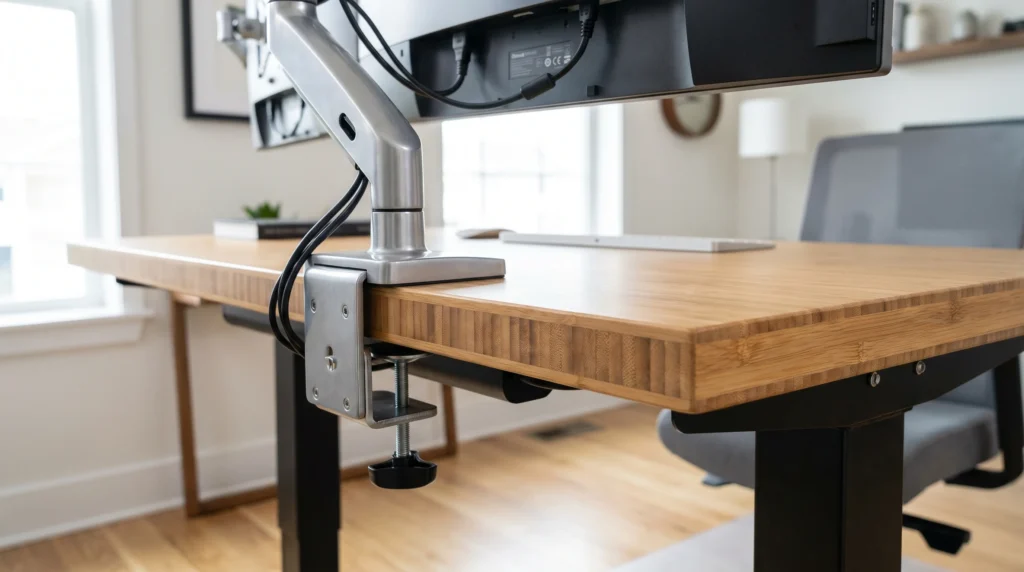
Why Bamboo Desks Are Different (And Why It Matters for Your Clamp)
Bamboo is surprisingly strong. That’s one reason it’s used in flooring, furniture, and premium standing desks.
But a monitor arm clamp concentrates force into a very small area at the edge of the desk.
Over time, that pressure can leave visible marks or indentations on some bamboo desktops, especially if the clamp is overtightened.
Standing desks add another factor. Because the desk moves up and down regularly, the clamp contact point experiences repeated stress over time.
The good news? This doesn’t mean you should avoid a monitor arm. It simply means you should take one extra step before installation.
• Standing Desk Note: A standing desk experiences more movement than a fixed desk. While a properly installed monitor arm should remain stable, repeated use can place additional stress on the clamp area over time. Using a reinforcement plate helps distribute that pressure more evenly and reduces the risk of marks or indentations.
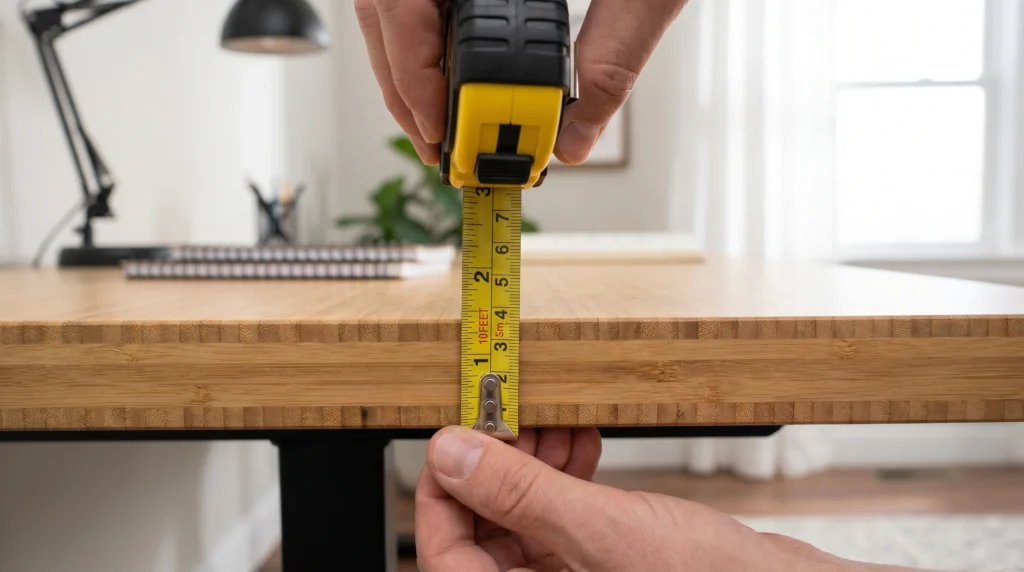
Step 1: Measure Your Bamboo Desk Thickness First (Takes 30 Seconds)
Before you do anything else, grab a tape measure or ruler and measure the thickness of your bamboo desktop at the edge where you plan to mount the clamp.
Most bamboo standing desks have a desktop thickness between 0.9 inches (23mm) and 1.5 inches (38mm). This matters for two reasons:
- Reason 1: Your clamp has to physically fit.
Every monitor arm clamp has a minimum and maximum thickness range. Most standard C clamps accommodate desks from 0.4 inches to 3.5 inches (10mm to 89mm), so physical fit is rarely the issue. - Reason 2: Thinner desktops generally benefit from extra support.
A thinner desktop has less material around the clamp area, which can make pressure distribution more important. If your bamboo desktop is under 0.9 inches (23mm) thick, consider using a reinforcement plate or a grommet mount for added protection.
| Desktop Thickness | Recommendation |
|---|---|
| Under 0.9 in (23mm) | Consider a grommet mount or reinforcement plate |
| 0.9 to 1.5 in (23 to 38mm) | Clamp mounting usually works well with a reinforcement plate |
| 1.5 to 2.5 in (38 to 63mm) | Most monitor arm clamps work without issues |
| Over 2.5 in (63mm) | Compatible with most standard monitor arm clamps |
Write down your measurement before reading the next section. You’ll need it.
Step 2: Check Your Specific Bamboo Desk Model
Not all bamboo desks are built the same. Here’s a quick look at the most popular bamboo standing desks and what you’re working with:
| Desk Model | Top Thickness | Edge Type | Recommended Setup |
|---|---|---|---|
| FlexiSpot E7 (Bamboo) | ~1.1″ (28mm) | Chamfered bottom edge | Clamp plus reinforcement plate recommended |
| UPLIFT V2 (Bamboo) | 1″ (25mm) | Flat edge | Clamp works well, reinforcement plate recommended |
| Autonomous SmartDesk (Bamboo) | ~0.75″ (19mm) | Varies | Consider a grommet mount or reinforcement plate |
• FlexiSpot Bamboo Note: The bottom edge is chamfered inward by roughly 3/4 of an inch. This means some standard monitor arm clamps may not grip as cleanly as they would on a flat edge. In some cases, a thin shim or spacer can help create a better fit. It’s a small detail, but one that many buyers don’t notice until installation day.
Already planning to add a keyboard tray too? Make sure your desk’s crossbar won’t interfere with installation. We cover exactly how to check clearance, mounting space, and compatibility in our keyboard tray guide.
The Fix: One $12 Part That Changes Everything
The problem with a C clamp is that it concentrates pressure on a tiny point. The solution is called a spreader plate (also sold as a monitor mount reinforcement plate on Amazon).
It’s a flat piece of steel usually 4 to 6 inches long and 2 to 3 inches wide that slides between the clamp’s bottom screw and the underside of your bamboo desk. Instead of the clamp’s screw head pushing against roughly 1 square inch of bamboo, the spreader plate distributes that same force across 8 to 12 square inches.
Think of it like this: pressing your fingertip hard into bamboo can eventually leave a mark. Pressing a flat book with the same force spreads the pressure over a larger area. Same concept.
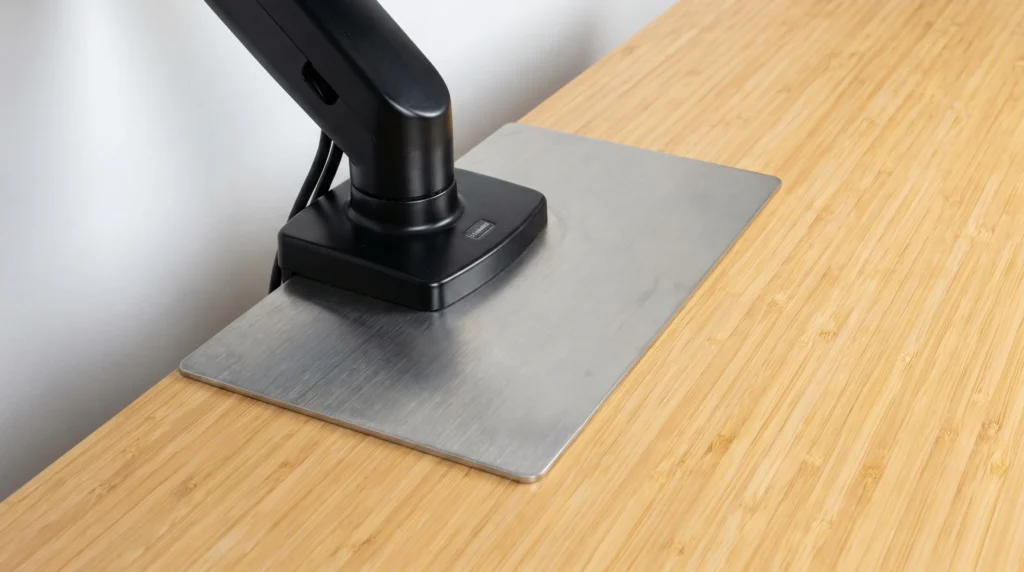
• Huanuo Monitor Mount Reinforcement Plate
Material: Heavy-duty cold-rolled steel.
Dimensions: 5.9 x 3.1 in (150mm x 80mm).
Compatible with: Standard C-clamp monitor mounts.
Works for: Single and dual monitor arms.
Rubberized edges help reduce the risk of scratches.
Price Range: $12 to $16 on Amazon.
Check the current price on Amazon. (Affiliate link)
How To Install It Safely on a Bamboo Desk (Don’t Skip Step 3)
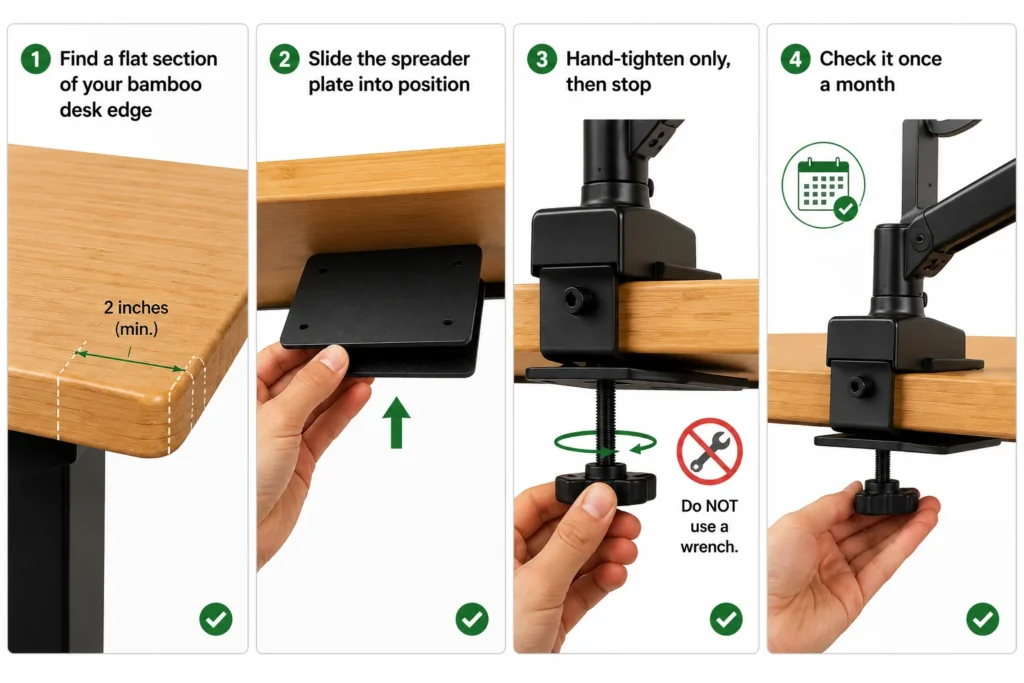
1. Find a flat section of your bamboo desk edge:
Bamboo standing desks sometimes have slightly rounded or beveled edges. You want at least 2 inches of flat, square edge for the clamp’s top jaw to sit flush against. If your entire edge is beveled, a grommet mount may work better (see the next section).
2. Slide the spreader plate into position:
Place the spreader plate flat against the underside of your bamboo desktop, directly below where the clamp top jaw will sit. The rubber side (if it has one) faces up toward your bamboo surface. The steel side faces down toward the clamp screw.
3. Hand-tighten only, then stop:
This is the step that ruins most setups. Tighten the clamp screw until it is firmly snug with no wobble and no play. Then give it one quarter-turn more with your hand. Stop there. Do NOT use a wrench. Overtightening is what causes dents on bamboo, even with a spreader plate.
4. Check it once a month:
Because your standing desk moves up and down multiple times a day, the motor’s microvibrations gradually loosen the clamp over time. A quick finger-tighten check every 3–4 weeks takes 5 seconds but prevents a lot of wobble later.
When You Should Avoid a Clamp Entirely (Use a Grommet Mount Instead)
Skip the clamp if any of these apply to you:
- Your bamboo desk is under 0.9 inches thick; even a spreader plate can’t fully protect the surface at this depth.
- You have a dual-monitor setup over 20 lbs total; the lateral torque on one clamp point is too much for bamboo to handle reliably.
- Your bamboo desk has a fully rounded edge with no flat section. A C-clamp top jaw needs a flat surface to grip cleanly.
- You’re using an L-shape or T-shape bamboo standing desk internal beams near the edges can interfere with how the clamp distributes force.
Also worth knowing: IKEA Linnmon desktops are not solid bamboo; they’re hollow-core desks with a honeycomb paper filling inside. A C-clamp will crush right through them over time, spreader plate or not.
Quick test: knock on your desk with your knuckle. A hollow sound means hollow core. For hollow-core desks, use a freestanding monitor riser instead.
One More Thing: Cable Slack on Standing Desks
This trips up a lot of people, so it’s worth mentioning before you finish the setup.
When you install a monitor arm on a standing desk, your cables need extra slack. Every time the desk goes up or down, the cables travel with it. If your HDMI or DisplayPort cable is too short, it will get pulled taut when you raise the desk and eventually disconnect or get damaged.
Rule of thumb: Add at least 3 extra feet of cable slack compared to what you’d need on a fixed desk. Route the cables loosely through the monitor arm and desk frame so they can move easily with every height adjustment
Quick Summary
• Yes, a monitor arm clamp CAN fit your bamboo standing desk.
• Bamboo is at risk of slow denting under concentrated clamp pressure, especially on a moving desk.
• Fix: Use a reinforcement plate between the clamp and your bamboo surface.
• Measure your desktop thickness first; anything under 0.9″ needs a grommet mount instead.
• FlexiSpot bamboo tops have a chamfered edge; check clamp compatibility before mounting.
• Install slowly, do not overtighten, and check tightness again after one week.
Still Not Sure Which Setup Works for Your Desk?
Every bamboo desk is a little different. Edge shape, thickness, and frame design all affect which mounting option is right for you. If you are still not 100% certain, do not guess. Send us a message through our contact form, and we will sort it out with you in minutes.
FAQ
Q: My bamboo desk already has a small dent from the clamp. Can I fix it?
Q: Does the rubber pad that comes with my monitor arm clamp protect the bamboo from denting?
Q: Can I use a grommet mount on a bamboo standing desk instead of a clamp?
Q: Will the clamp loosen over time on a standing desk?
Q: What’s the minimum bamboo desk thickness that can safely hold a monitor arm clamp?
Q: Does the Ergotron LX work on a bamboo standing desk?
Q: Will the clamp void my bamboo standing desk warranty?
Q: My bamboo desk has a beveled (rounded) edge. Will a clamp still work?
Q: How do I know if my clamp is causing damage before I can see a dent?
Every measurement and spec in this guide comes from our own research. If you notice something that doesn’t match, whether it’s a wrong number or a calculation mistake on our end, tell us through the comments or our contact form. We’ll fix it right away.
Related Articles
- Will a Keyboard Tray Fit Your Standing Desk? (Read Before You Drill)
- Will a Monitor Arm Fit Your IKEA Desk? (5 Models Checked)
- Do Monitor Arms Damage Desks? (What Most Buyers Don’t Realize)

I got interested in home office setups and noticed most buying guides online tell you if a product is ‘good,’ but never tell you if it will actually fit your specific desk. Does It Fit My Team exists to close that gap, with real measurements, verified sources, and straight answers.