
Affiliate Disclosure: Some links on this page may be affiliate links. If you purchase through these links, we may earn a commission at no extra cost to you. We only recommend products that we believe provide genuine value.
If you’re planning to add a monitor arm to your standing desk, you might be wondering whether it will make the desk wobble.
The short answer is sometimes, but not always.
A monitor arm doesn’t automatically make a standing desk unstable. However, it can make existing movement more noticeable, especially when the desk is raised to standing height.
Many people install a monitor arm expecting a cleaner setup, only to notice their screen shaking slightly while typing or adjusting their desk.
Before you assume the monitor arm is the problem, it’s worth understanding what actually causes wobble and how to reduce it.
Why Monitor Arms Can Make Desk Wobble More Noticeable
A monitor arm changes how weight is distributed across your desk.
Unlike a traditional monitor stand, which places weight directly on the desktop, a monitor arm moves the monitor’s weight outward from the mounting point.
The farther the monitor extends from the desk, the easier it becomes to notice small movements.
That doesn’t mean the desk is unsafe. It simply means movement becomes more visible because the monitor is positioned farther away from the desk frame.
Does Every Standing Desk Wobble with a Monitor Arm?
No.
Some standing desks handle monitor arms extremely well. Others may show noticeable movement.
Several factors affect stability:
• Desk frame quality.
• Desk height.
• Monitor weight.
• Number of monitors.
• Monitor arm design.
• Floor surface.
A premium standing desk with a sturdy frame may feel stable even with dual monitors, while a budget desk can struggle with a single large screen
Single Monitor vs Dual Monitor Arms
Not all monitor arm setups affect stability equally.
Single Monitor Arms:
A single monitor arm usually adds minimal stress to a desk frame.
Most users won’t notice any significant difference in stability.
Dual Monitor Arms:
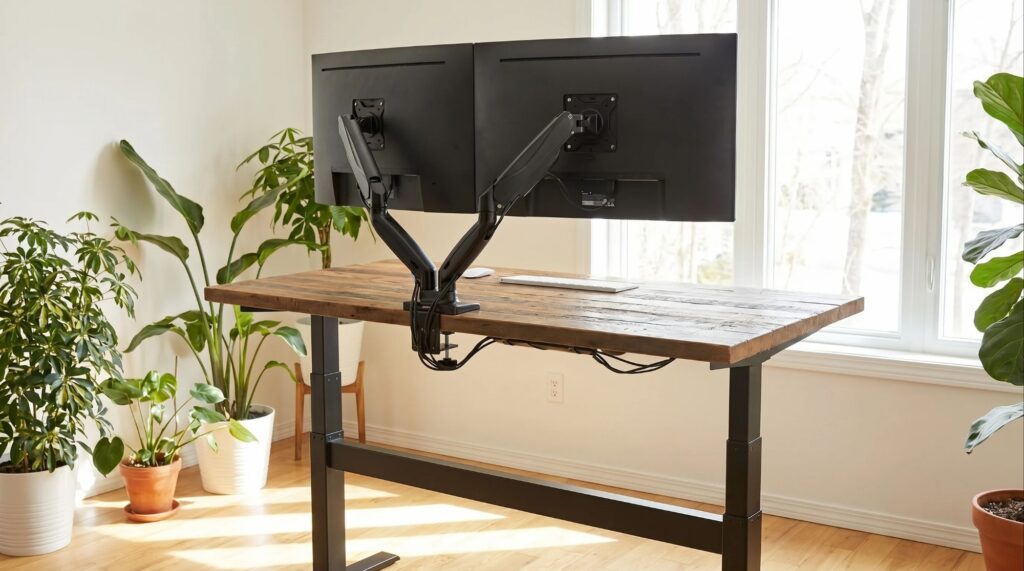
Dual monitor arms place more weight farther from the desk’s center.
This can amplify small movements, especially at standing height.
If you’re using two large monitors, desk stability becomes more important.
Desk Height Matters More Than Most People Realize
One of the biggest causes of wobble has nothing to do with the monitor arm itself.
It’s the desk height. As a standing desk rises, its frame naturally becomes less rigid.
A desk that feels perfectly stable while sitting may feel different when raised to standing height.
Adding a monitor arm simply makes those movements easier to notice because the screen sits farther from the desk’s center of support
If your desk already feels unstable, read our guide on How to Fix a Wobbly Standing Desk.
Can a Monitor Arm Damage Stability on Lightweight Desks?
In some cases, yes.
Lightweight desk frames are generally more susceptible to movement. This doesn’t mean you should avoid monitor arms.
It simply means choosing a sturdy desk frame becomes more important if you plan to use one.
How to Reduce Wobble When Using a Monitor Arm
● Keep the Desk Lower:
The lower the desk height, the more stable it typically feels.
● Tighten All Hardware:
Loose bolts can significantly increase wobble.
● Position the Arm Correctly:
Avoid extending the monitor arm farther than necessary.
● Use a Quality Monitor Arm:
A well-built monitor arm often produces less movement than cheaper alternatives
Recommended Upgrade
If your monitor shakes whenever you type or adjust your desk, the monitor arm itself could be part of the problem. Cheap monitor arms often flex more than premium models.
The Ergotron LX Single Monitor Arm is one of the most popular options among standing desk users because of its sturdy construction and smooth adjustments.
Check current price on Amazon →
You may also want to read our article Do Monitor Arms Damage Desks?
This guide explains how monitor arm clamps interact with different desk materials.
Is a Small Amount of Screen Movement Normal?
Yes.
Many users expect their monitor to remain perfectly motionless.
In reality, even premium standing desks can show minor screen movement while typing or adjusting equipment.
The key question is whether the movement affects your ability to work comfortably. Small movement is normal.
Excessive shaking is not.
FAQ:
Will a monitor arm make my standing desk wobble?
Not necessarily. However, it can make existing desk movement more noticeable because the monitor is positioned farther from the desk frame.
Are dual monitor arms worse for desk stability?
Dual monitor arms can increase visible movement because they add more weight and leverage.
Do expensive monitor arms reduce wobble?
A quality monitor arm may help reduce movement, but desk stability remains the biggest factor.
Can a monitor arm damage a standing desk?
Most monitor arms are safe when installed correctly. Desk material and clamp pressure matter more than the arm itself.
Should I avoid monitor arms on standing desks?
No. Many standing desk users successfully use monitor arms every day. The key is pairing them with a stable desk and proper installation.
Conclusion
So, will a monitor arm make a standing desk wobble?
For most people, the answer is not directly.
A monitor arm usually doesn’t create wobble. Instead, it makes existing movement easier to see. Desk height, frame quality, monitor weight, and arm positioning all play a role.
If your standing desk is reasonably stable, a monitor arm can improve ergonomics and free up valuable desk space without causing major issues.
● Still experiencing wobble?
Every setup is different. Desk height, monitor weight, flooring, and frame design can all affect stability.
If this guide didn’t fully solve your problem, send us a message through our contact form and tell us:
• Your standing desk model
• Monitor size and weight
• Monitor arm model
• Floor type
We’ll do our best to help you identify what’s causing the wobble.
Every measurement and spec in this guide comes from our own research. If you notice something that doesn’t match, whether it’s a wrong number or a calculation mistake on our end, tell us through the comments or our contact form. We’ll fix it right away.
Related Articles
- How to Fix a Wobbly Standing Desk (The Fix That Actually Works First)
- Do Monitor Arms Damage Desks? (What Most Buyers Don’t Realize)
- Why Does My Standing Desk Wobble on Carpet? Causes, Fixes & What Actually Works

I got interested in home office setups and noticed most buying guides online tell you if a product is ‘good,’ but never tell you if it will actually fit your specific desk. Does It Fit My Team exists to close that gap, with real measurements, verified sources, and straight answers.