
Affiliate Disclosure: This article may contain affiliate links. If you purchase through these links, we may earn a small commission at no additional cost to you. This helps support our site and allows us to continue creating helpful content. We only recommend products we believe offer genuine value.
If your standing desk feels stable on hardwood but starts wobbling the moment it’s placed on carpet, you’re not imagining things.
This is one of the most common issues standing desk owners face, especially when using taller desk heights, monitor arms, or walking pads.
The good news is that carpet itself usually isn’t the entire problem. In most cases, carpet simply makes existing stability issues more noticeable.
Understanding why this happens is the first step toward fixing it.
Why Carpet Makes Standing Desks Feel Less Stable
A standing desk relies on a solid and level foundation.
Hardwood, tile, and concrete floors provide consistent support under each desk leg. Carpet behaves differently.
When a desk sits on carpet, each leg can compress the carpet slightly differently. Even a small difference in compression can create instability.
The effect becomes more noticeable when the desk is raised because standing desks naturally become less rigid at taller heights.
A desk that feels perfectly stable while sitting may start to wobble once it’s extended to standing height on a soft carpet.
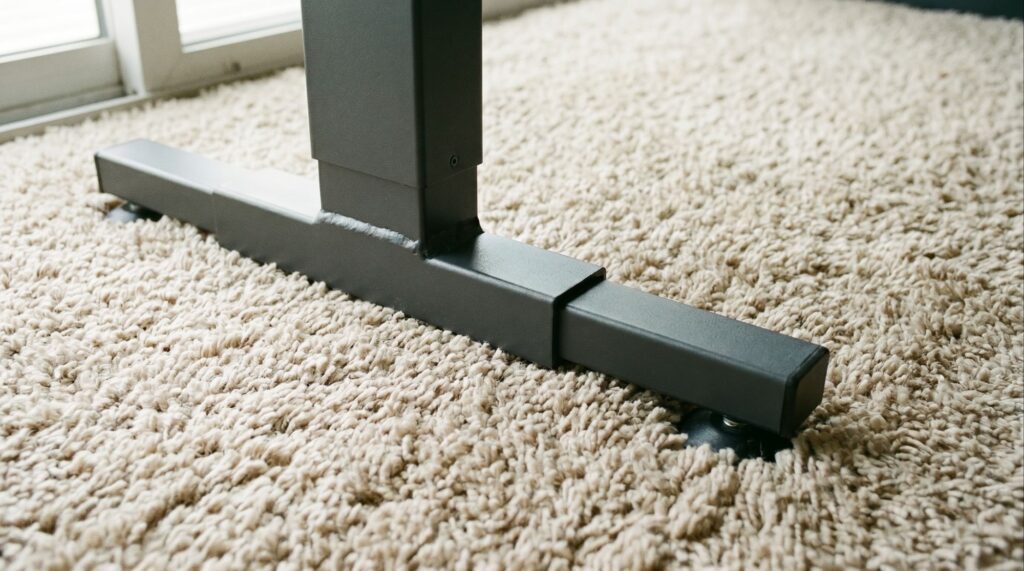
The Real Cause Most People Miss
Many people blame the desk frame.
Others blame the carpet.
In reality, wobble usually comes from a combination of factors:
∘ Carpet compression
∘ Desk height
∘ Loose hardware
∘ Heavy monitor setups
∘ Uneven flooring beneath the carpet
Carpet simply amplifies problems that may already exist.
That’s why two people can own the same desk and have completely different experiences.
7 Fixes That Actually Work
1: Adjust the Leveling Feet
Most standing desks include adjustable feet.
If one leg isn’t making equal contact with the floor, the desk can become unstable.
Take a few minutes to adjust the leveling feet and test the desk again.
This simple step often solves minor wobble issues.
• Don’t Overlook the Leveling Glides
Some standing desks use adjustable glides (sometimes called leveling glides) underneath the feet. Their job is to compensate for small floor irregularities and help the desk sit more evenly on the ground.
On carpet, these glides can be especially useful because they allow you to fine-tune each corner of the desk. If one side feels slightly lower or less stable, adjusting the glides may reduce wobble without any additional accessories.
Before buying upgrades, it’s worth checking whether your desk already includes adjustable glides and making sure they’re properly set.
2: Tighten Every Bolt and Connection
Many wobble problems have nothing to do with carpet.
Standing desks contain multiple connection points, and even slightly loose hardware can increase movement.
Check:
▸ Frame bolts
▸ Leg connections
▸ Desktop mounting screws
▸ Crossbar hardware
A quick tightening session can make a surprising difference.
3: Lower the Desk Height Slightly
The higher a standing desk extends, the more leverage is created.
Even premium standing desks show more movement at maximum height.
If possible, lower the desk slightly and see whether stability improves.
For many users, a small adjustment produces noticeable results.
4: Use a Hard Floor Protector
One of the most effective solutions is placing a rigid floor protector beneath the desk.
This creates a more consistent surface and prevents individual desk legs from sinking into the carpet.
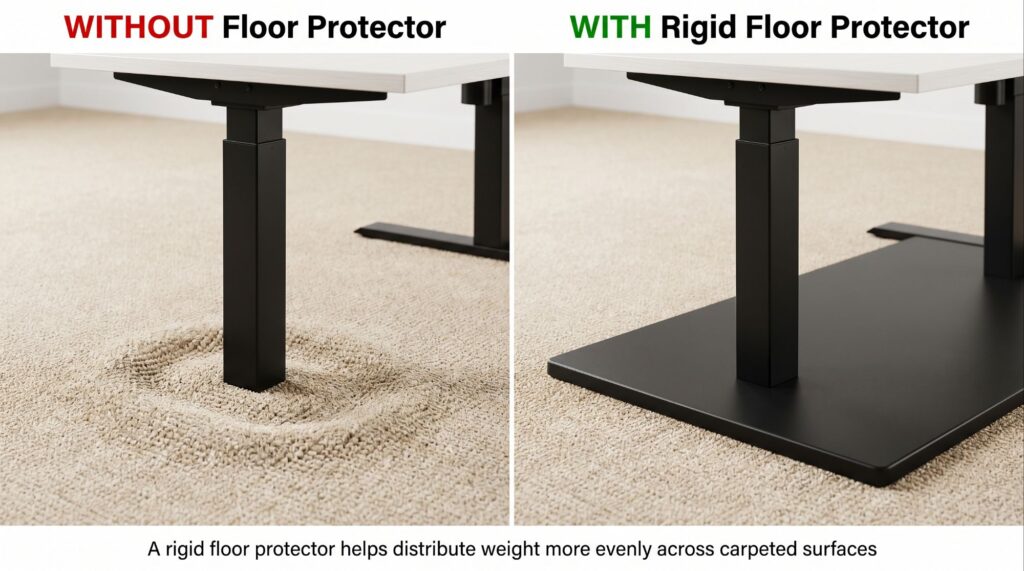
Recommended Upgrade
Before replacing your desk, try placing it on a rigid floor protector. Many users notice less wobble simply because the desk has a more stable foundation to sit on.
You can check it out on Amazon ➡
5: Reduce Excess Weight
Large monitors, dual monitor arms, and heavy desktop accessories can amplify movement.
The extra weight isn’t always the problem.
The way that weight is positioned often matters more.
If you’re using monitor arms, you may also want to read:
How to Fix a Wobbly Standing Desk?
Will a Monitor Arm Make a Standing Desk Wobble?
6: Add a Crossbar If Available
Some standing desk manufacturers offer optional crossbars.
A crossbar helps reduce side-to-side movement and can noticeably improve stability on carpet.
Not every desk supports this upgrade, but it’s worth checking.
7: Check the Floor Under the Carpet
Sometimes the carpet isn’t actually the problem.
The subfloor underneath may be uneven.
Older homes and upper-floor offices can develop slight floor irregularities that affect desk stability.
If wobble remains after trying the other fixes, inspect the floor itself.
FAQ
Why does my standing desk wobble more at standing height?
Standing desks naturally become less rigid as they extend upward. Carpet can make that movement more noticeable.
Does thick carpet make desk wobble worse?
In many cases, yes. Thick carpet and soft padding allow desk legs to compress the surface unevenly.
Will a floor mat stop desk wobble?
A rigid floor protector can often reduce wobble by creating a more stable foundation.
Are all standing desks unstable on carpet?
No. Some desk frames handle carpet much better than others.
Can monitor arms make carpet wobble worse?
Monitor arms don’t affect the carpet itself, but they can make small desk movements easier to notice.
Conclusion
If your standing desk wobbles on carpet, the carpet isn’t necessarily the main problem.
Most stability issues result from a combination of desk height, setup weight, floor conditions, and hardware adjustments.
The good news is that many wobble issues can be improved without replacing your desk.
Simple changes such as adjusting leveling feet, tightening hardware, or using a rigid floor protector often make a noticeable difference.
Still experiencing wobble?
Every setup is different. If this guide didn’t solve your problem. Send us a message through our contact form and tell us your desk model, flooring type, and setup details. We’ll do our best to help identify what’s causing the issue.

I got interested in home office setups and noticed most buying guides online tell you if a product is ‘good,’ but never tell you if it will actually fit your specific desk. Does It Fit My Team exists to close that gap, with real measurements, verified sources, and straight answers.