
Affiliate Disclosure: This post contains affiliate links. If you buy through them, we earn a small commission at no extra cost to you. We only recommend products we would genuinely suggest to a friend.
To fix a wobbly standing desk, first check whether the wobble is normal, then work through the likely causes in this order: leveling feet, loose bolts, uneven weight, and the monitor arm. Some flex at full height is normal on most standing desks. It becomes a problem when the desk still moves at sitting height, rocks while you type, or makes clunking sounds. This guide helps you match your symptom to its cause.
Key Takeaways
- Some wobble at full height is normal. Wobble at sitting height is not.
- Check the floor, then the bolts, then the load, then the monitor arm.
- Tighten bolts at a mid or low height, not at full height.
- A higher weight capacity does not mean a more stable desk.
Is Your Desk’s Wobble Normal?
Check this first, so you do not fix something that is not broken.
| Normal | A problem |
|---|---|
| Slight sideways flex at full height when you press the desk | Wobble you can feel even at sitting height |
| It gets much smaller when you lower the desk | Rocking while you type, or visible rocking when you rest your hands |
| Vibration that stops right after you stop typing | A monitor that keeps shaking for more than about 1 second after you stop |
| You stop noticing it after a few minutes | Clunking sounds or visible gaps at the bracket joints |
Find the Cause by Symptom
Match what you see to the row below. Each fix is explained further down.
| What you notice | Likely cause | Fix |
|---|---|---|
| Wobble even at sitting height, or clunking | Loose bolts | Tighten feet, side brackets, crossbar ends, and tabletop screws |
| Desk rocks from corner to corner | A foot not touching the floor | Adjust the leveling feet |
| Wobble only near full height | Longer columns flex more | Lower the desk slightly if you can |
| One side feels less stable | Uneven weight | Center the heavy gear |
| Only the monitors shake | The arm acts like a lever | Read our monitor arm wobble guide |
| Still rocks on carpet | Carpet and pad thickness | See wobble on carpet by pile height |
| Shakes when a walking pad runs | Walking vibration on a raised desk | See walking pads and desk wobble |
| Sways side to side on a 2-leg frame, bolts tight | The frame flexes sideways | Add a stabilizer bar (see below) |
The 5-Minute Wobble Test
Run these steps in order. Each one rules out a cause before you spend money.
- Check every bolt you can reach.
- Lower the desk and see if the wobble goes away.
- Remove the monitor arm and any heavy accessories, then type again.
- Push opposite desk corners. If one foot lifts, adjust the leveling feet until all four touch the floor.
- Watch whether the screen moves more than the desktop.
Steps adapted from FlexiSpot’s five-minute stability check.
Fix 1: Level the Feet
Almost every standing desk has adjustable leveling feet. If the floor is slightly uneven, one foot can hang above it. Turn each foot until all four make firm contact, then push opposite corners again to confirm nothing lifts.
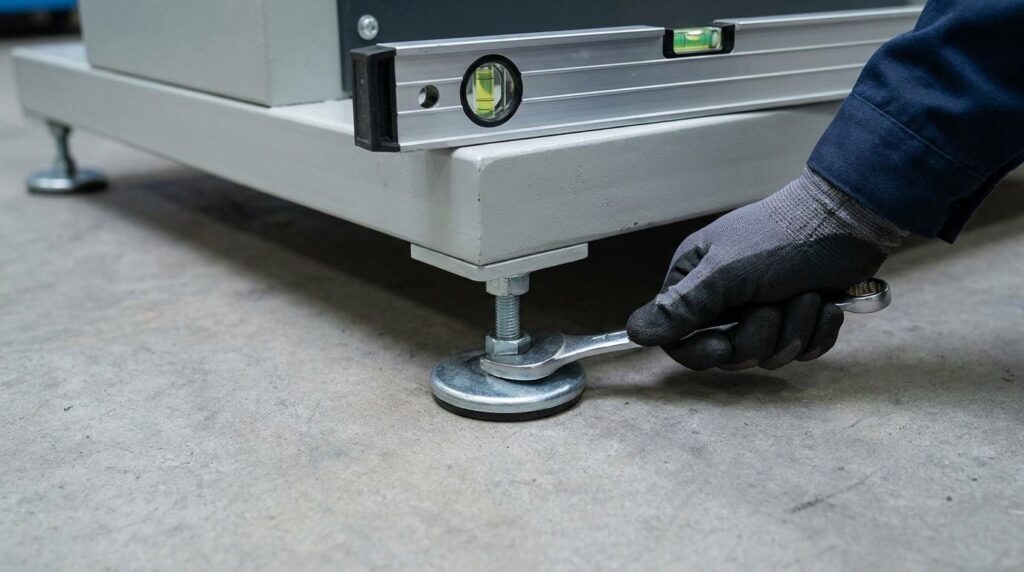
On carpet, the feet may run out of range. That is a pad and pile problem, covered in our carpet wobble guide.
Fix 2: Tighten the Bolts in the Right Order
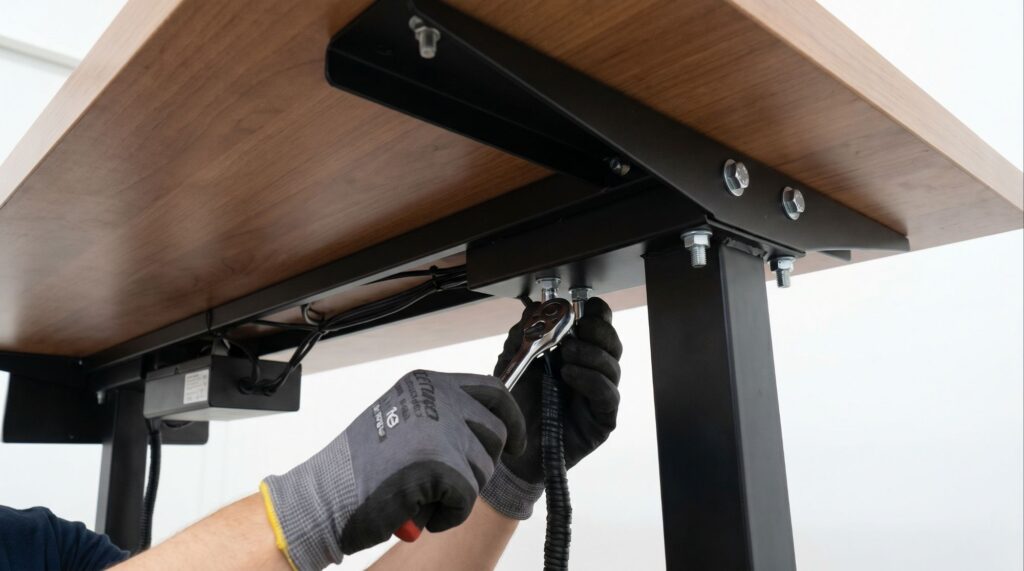
Daily raising and lowering can loosen hardware over time. Progressive Automations advises tightening at a mid or low height, because the legs are under tension at full extension.
- Lower the desk to a mid or low height.
- Tighten the bolts that attach the feet to the lifting columns. UPLIFT says these are usually the culprit when the desk wobbles at seated height.
- Tighten the bolts at the side brackets and crossbar ends, then the bolts from the crossbar end into each column.
- Check the tabletop screws from underneath.
- Retest at the height where the wobble showed up.
FlexiSpot UK suggests re-tightening 48 hours after assembly and then every 6 months. Sources: UPLIFT, Progressive Automations, and FlexiSpot UK. Your desk’s manual has the right tool and any torque guidance.
Fix 3: Balance the Weight and Lower the Desk
Heavy equipment placed off-center, or loaded more on one side, increases twisting. Center the heavier items, such as a PC tower, and spread weight evenly left to right. If the wobble shows up near full height, lowering the desk a little helps, because raising it moves the center of gravity higher and lengthens the unsupported column, per FlexiSpot.
If Only the Monitors Shake
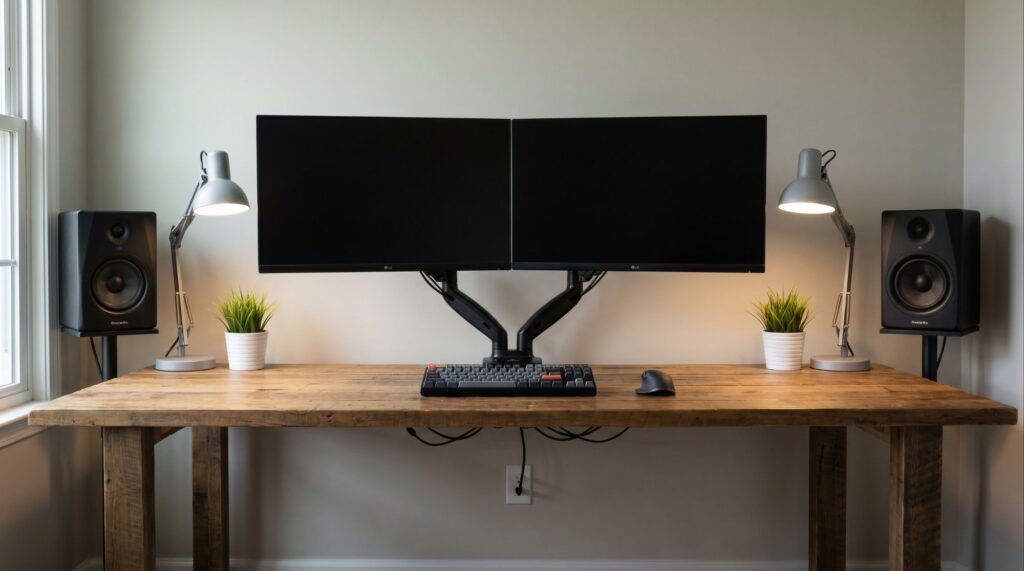
A monitor arm acts like a lever, so a long extension makes small desk movement look bigger. FlexiSpot says dual and ultrawide setups are especially sensitive. Shorten the arm or tighten its joints, and take the arm off to test whether it was amplifying the movement. Our monitor arm wobble guide has a full test for desk versus arm.
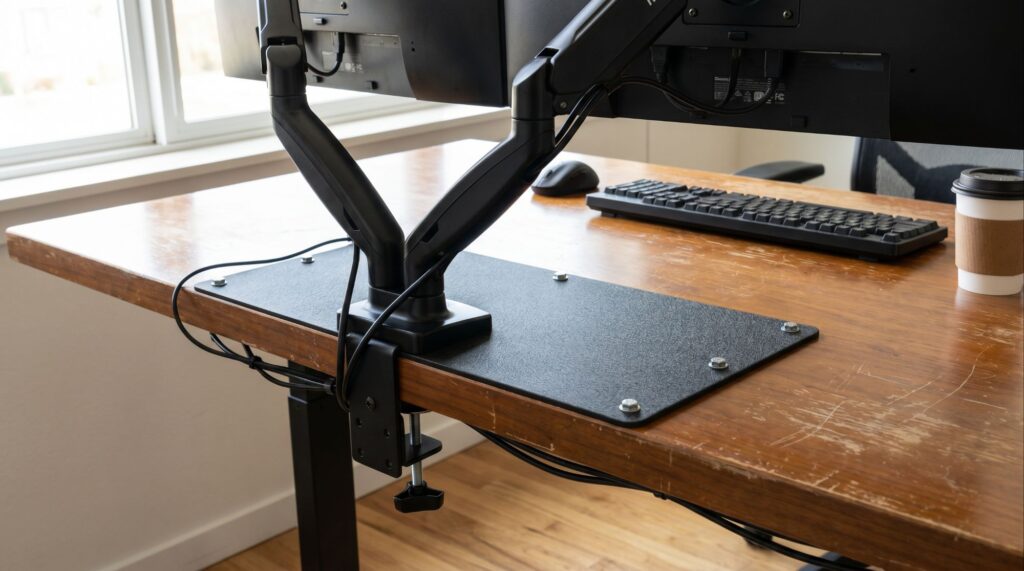
If your arm clamps to a thin or MDF desktop, a steel reinforcement plate spreads the clamp pressure. See our dual monitor arm clamp ranges guide for the details.
When a Stabilizer Bar Makes Sense
If your bolts are tight, the feet are level, and a 2-leg frame still sways side to side, the frame itself may flex. A clamp-on stabilizer bar links the two columns. The VIVO bar below is listed as reducing side-to-side wobble on most 2-leg desks, and the listing says it does not change front-to-back stability. Keep in mind that weight capacity does not measure stability: FlexiSpot notes that a 350 lb desk is not necessarily steadier than a 220 lb one.
⭐ OUR PICK FOR A 2-LEG FRAME THAT SWAYS SIDEWAYS
VIVO Clamp-on Stabilizer Bar, DESK-STB01B
- 📏 Fit: most 2-leg frames, bracket length adjusts from 36 to 61.6 in
- 🔧 Column limit: columns up to 3.2 in thick
- 🛠️ Mount: two C-clamps on the support columns, no tools needed
👍 Best for: A 2-leg standing desk that still sways side to side after the floor, bolts, and load are sorted.
⚠️ Measure your frame’s width and column thickness first. It reduces side-to-side wobble only, not front-to-back.
(affiliate link) · Specs from Amazon’s listing
Still seeing wobble after these steps? Tell us your desk model, your floor type, your monitor setup, and when the wobble happens through our contact form. We’ll help you find the cause.
FAQ
Is some standing desk wobble normal?
Yes. Most standing desks flex a little at full height, and the movement gets much smaller when you lower the desk. It is a problem if you can feel it at sitting height, or if a monitor keeps shaking for more than about a second after you stop typing.
Why does my standing desk wobble only at full height?
Raising the desk lifts its center of gravity and lengthens the unsupported column, so it flexes more. Two-stage columns overlap less than three-stage ones at tall heights. Try lowering the desk a little.
At what height should I tighten the bolts?
Use a mid or low height. The legs are under tension at full extension, so tightening there is less accurate and harder to reach.
Does a stabilizer bar stop front-to-back wobble?
No. The VIVO listing says its bar reduces side-to-side wobble on most 2-leg desks and does not change front-to-back stability.
Does a higher weight capacity mean a more stable desk?
Not necessarily. FlexiSpot notes that lifting capacity does not measure stability, and that a 350 lb desk is not automatically steadier than a 220 lb desk.
Every measurement and spec in this guide comes from our own research. If you notice something that doesn’t match, whether it’s a wrong number or a calculation mistake on our end, tell us through the comments or our contact form. We’ll fix it right away.
Related Guides
- Standing Desk Wobble on Carpet: Fix It by Pile Height (Checked)
- Monitor Arm Wobble on a Standing Desk: Desk or Arm? (Checked)
- Do Walking Pads Make Standing Desks Wobble? What Most Users Experience
- Will a Dual Monitor Arm Fit Your Desk? Clamp Ranges (Checked)
- Best Cable Management for Standing Desks (Fit Checked)

I got interested in home office setups and noticed most buying guides online tell you if a product is ‘good,’ but never tell you if it will actually fit your specific desk. Does It Fit My exists to close that gap, with real measurements, verified sources, and straight answers.
About Does It Fit My · How we verify our guides
Pingback: Will a Cable Tray Fit Your Standing Desk? (Compatibility Guide)
Pingback: Do Monitor Arms Damage Desks? Risks, Prevention & Desk Types
Pingback: Will a Monitor Arm Make a Standing Desk Wobble? Complete Physics & Setup Guide - doesitfitmy.com
Pingback: Why Does My Standing Desk Wobble on Carpet? Causes, Fixes & What Actually Works
Pingback: Will a Monitor Mount Fit Your Adjustable Desk? (Do Not Order Until You See This) - Does It Fit My