
If you’re thinking about adding a walking pad to your workspace, you’ve probably wondered whether it will make your standing desk wobble.
The short answer is yes, it can but usually not for the reason most people think.
A walking pad doesn’t automatically make a desk unstable. However, the combination of walking motion, increased desk height, and flooring conditions can make existing stability issues much more noticeable.
Many people only discover this after setting up their walking pad and realizing their desk feels less solid than before.
In this guide, we’ll explain why wobble happens, when it’s normal, and what you can do to reduce it.
Why Walking Pads Can Make a Standing Desk Feel Less Stable
Walking creates constant movement.
Even though the movement is relatively small, each step transfers force through your body and into your workstation.
When you’re standing still, your desk only needs to support equipment such as monitors, keyboards, and accessories.
When you’re walking, your body is continuously shifting weight from side to side and front to back.
This movement can make even a well-built standing desk feel less stable than it did before.
The effect is often more noticeable at taller desk heights because standing desks generally become less rigid as the legs extend.
The 3 Biggest Reasons Standing Desks Wobble with Walking Pads
1. The Desk Is Raised Higher Than Usual
Most walking pads add several inches of height.
To maintain proper ergonomics, you’ll usually need to raise your standing desk higher than your normal standing position.
As desk legs extend, stability decreases.
This doesn’t mean the desk is defective, it simply means there is more leverage acting on the frame.
A desk that feels rock solid at 40 inches may feel noticeably different at 47 inches.
2. The Floor Surface Matters
Many users place their setup on carpet.
Soft carpet and thick padding can increase wobble because the desk legs and walking pad may sink unevenly into the surface.
Hardwood, tile, laminate, and concrete floors generally provide a more stable foundation.
If your workspace is on carpet, using a firm floor protector or equipment mat may help reduce movement.
3. Desk Frame Design Plays a Huge Role
Not all standing desks are built the same.
Some frames resist movement better than others.
In general:
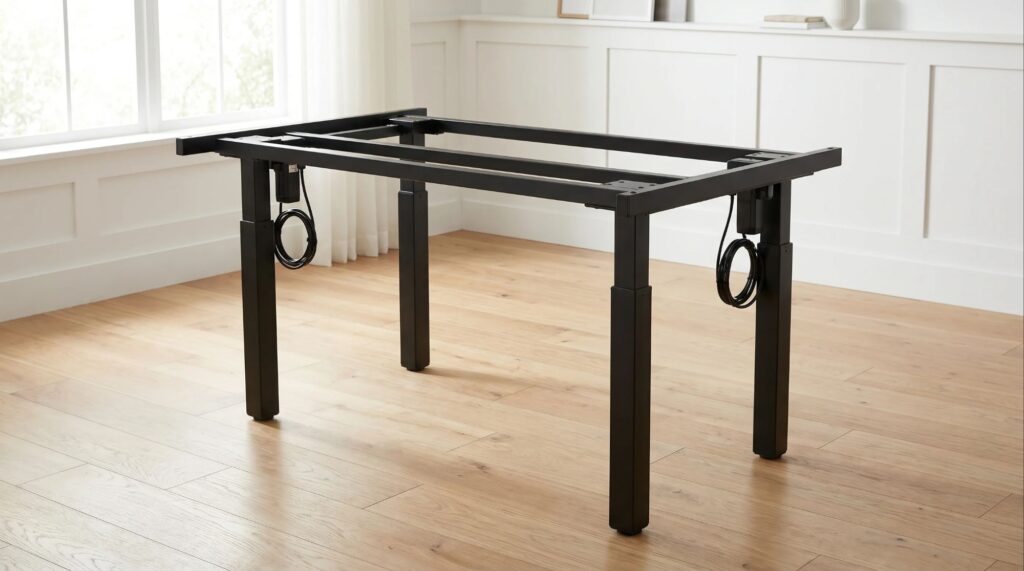
‣ Four-leg desks tend to be more stable.
‣ Crossbar-supported frames often reduce side-to-side movement.
‣ Lightweight frames may show more wobble at maximum height.
This is one reason two people using the same walking pad can have completely different experiences.
Is a Small Amount of Wobble Normal?
Yes.
This is one of the biggest misconceptions people have when setting up a walking pad workstation.
No standing desk is completely motionless.
A slight amount of movement is normal, especially when:
‣ Walking
‣ Typing quickly
‣ Adjusting monitors
‣ Leaning on the desktop
The real question is not whether the desk moves at all.
The question is whether the movement interferes with your ability to work comfortably.
If your monitor shakes excessively or typing becomes difficult, the wobble may need to be addressed.
Which Standing Desks Are Most Likely to Wobble?
Certain setups tend to experience more movement:
‣ Budget standing desks
‣ Lightweight desk frames
‣ Desks used at maximum height
‣ Setups on thick carpet
‣ Large desktops without adequate support
That doesn’t mean these desks cannot be used with walking pads.
It simply means stability becomes more important.
How to Reduce Wobble When Using a Walking Pad
1. Tighten All Hardware:
Over time, bolts and fasteners can loosen slightly.
Even a small amount of looseness can increase movement.
2. Use a Stable Floor Surface:
Whenever possible, place your setup on a firm and level surface.
3. Keep the Desk as Low as Practical:
The lower the desk height, the more stable it typically feels.
4. Consider a Crossbar or Stability Upgrade
Some desk manufacturers offer optional stability accessories.
5. Reduce Excess Weight
Heavy monitor setups can increase visible shaking.
If you’re using monitor arms, you may also want to read our guide on Do Monitor Arms Damage Desks?
Can a Walking Pad Cause a Previously Stable Desk to Feel Wobbly?
Yes.
This is actually what many users experience.
The walking pad doesn’t necessarily create a new problem.
Instead, it exposes weaknesses that were already there.
A desk that feels stable while standing still may react differently when subjected to continuous walking motion.
That’s why many people notice wobble only after introducing a walking pad into their setup.
Walking Pad vs Treadmill
In most home office setups, walking pads create less movement than traditional treadmills.
Walking pads are typically:
‣ Lower to the ground
‣ Lighter
‣ Designed for slower speeds
Traditional treadmills often generate more vibration because they are intended for faster movement and running.
For most standing desk users, a walking pad is the better choice.
FAQ
Q. Do all walking pads make standing desks wobble?
Ans. No. The amount of wobble depends on the desk frame, floor surface, desk height, and overall setup.
Q. Does carpet make desk wobble worse?
Ans. Yes. Thick carpet and soft padding can increase movement compared to hard flooring surfaces.
Q. Can a walking pad damage a standing desk?
Ans. Walking pads generally do not damage standing desks. However, poor stability can make existing issues more noticeable.
Q. Are four-leg standing desks better for walking pads?
Ans. In many cases, yes. Four-leg designs often provide better stability than two-leg frames.
Q. Should I use a mat under my walking pad?
Ans. A quality equipment mat can help reduce vibration and protect flooring.
Conclusion
So, do walking pads make standing desks wobble?
Not necessarily, but they can make existing stability issues much easier to notice.
Desk height, floor type, frame design, and overall setup quality all play a role in how stable your workstation feels while walking.
For most users, a small amount of movement is completely normal. If wobble becomes distracting, simple adjustments such as tightening hardware, lowering desk height, or improving floor support can often make a noticeable difference.
Still unsure whether your standing desk is suitable for a walking pad?
Send us a message through our contact form, and tell us your desk model, floor type, and setup details. We’ll do our best to help you identify potential stability issues before you buy.

I got interested in home office setups and noticed most buying guides online tell you if a product is ‘good,’ but never tell you if it will actually fit your specific desk. Does It Fit My Team exists to close that gap, with real measurements, verified sources, and straight answers.