Affiliate Disclosure: This post contains affiliate links. If you buy through them, we earn a small commission at no extra cost to you. We only recommend products we would genuinely suggest to a friend.
Most monitor light bars clamp onto the top edge of your monitor, and most brands market them as fitting “any monitor” or “all monitor sizes.” That claim only holds up to a point. Every monitor light bar has a real thickness range it can grip, and curved monitors add a second limit: how tight the bend is.
Every monitor light bar has a real thickness range it can clamp onto, and curved monitors add a second limit: how tight the curve is.
Go past either limit and the bar either won’t close around your bezel, or it sits loose and tips forward. The exact numbers are different for every brand, and one popular model uses a completely different mounting method that changes the rules entirely.
Key Takeaways
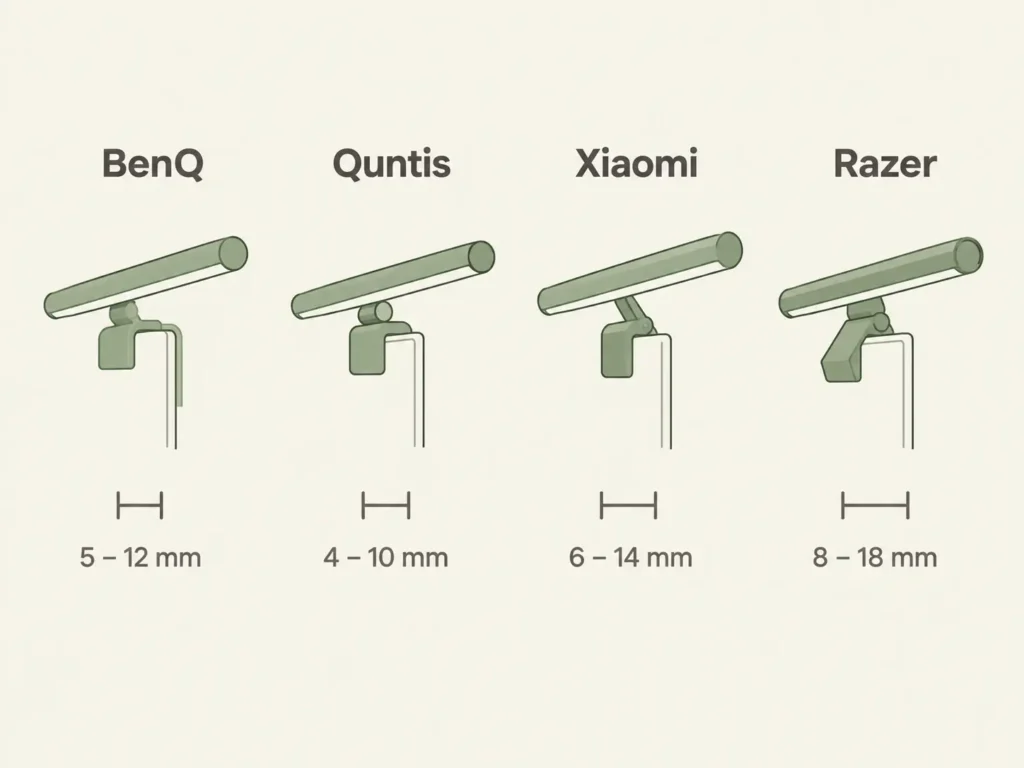
- The BenQ ScreenBar Pro fits flat monitors from 0.7 to 6 cm thick, and curved monitors between 1000R and 1800R with a bezel of 1.6 to 4.2 cm
- The Quntis Light Bar Glow is built specifically for wider curves, up to 3000R, on 34-inch and larger ultrawide monitors
- The Xiaomi Mi Computer Monitor Light Bar uses a magnetic mount instead of a clamp, fits up to 32mm thick, and gets less stable (not more) on monitors thinner than about 10mm
- Razer markets the Aether Monitor Light Bar as fitting “all monitor sizes,” but its own support forum has an unanswered question about unusual triangular-bezel monitors, so treat that claim with caution
- No brand publishes an official fit for monitors with a triangular or heavily beveled back design; measure your own bezel before buying if you own one of these
Who this is for: This guide is for you if you’re deciding between monitor light bar brands for your workspace, or you already own one and it won’t clamp on properly, sits loose, or tips forward on your screen.
Why “Fits Any Monitor” Isn’t Quite True
Two brands in this guide, Razer and Xiaomi, market their light bars as universal fits. In practice, every clamp-style light bar has a minimum and maximum bezel thickness it can physically close around. Below the minimum, the clamp doesn’t have enough monitor to grip. Above the maximum, it simply won’t close.
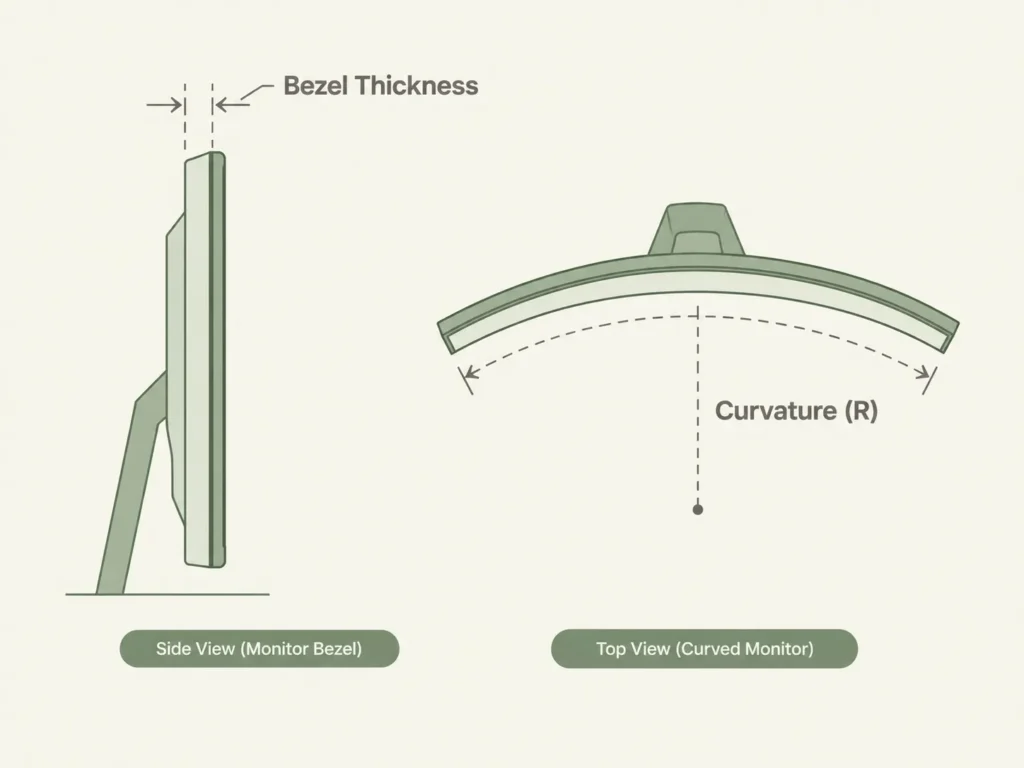
Curved monitors add a second variable most buyers don’t think about: curvature, measured in a number like 1000R or 1800R. A lower number means a tighter arc. Some light bars are built with a rigid single bar that can only flex so far, which is why a light bar rated for 1800R won’t sit flush on a more aggressively bowed 1000R ultrawide.
Measure Your Monitor Before You Buy
Bezel thickness means the width of the plastic frame at the very top of your monitor, where the clamp will sit, not the thickness of the whole monitor body. Use a tape measure or ruler at the top edge, since some monitors taper and are thicker in the middle than at the corners.
If your monitor bows inward, check its curvature rating first. It’s usually printed in the model name or spec sheet as a number followed by “R,” like 1800R or 3000R. A smaller number means a tighter bend, and a tighter bend needs a light bar specifically rated for it.
| Brand & Model | Mount Type | Flat Monitor Thickness | Curved Monitor Support |
|---|---|---|---|
| BenQ ScreenBar Pro | Clamp | 0.7-6 cm | 1000R-1800R, 1.6-4.2 cm bezel |
| Quntis Screenlinear PRO+ | Weighted clip | 0.3-6 cm (0.12-2.36 in) | Fits curved monitors, no specific R-rating published |
| Quntis Light Bar Glow | Weighted clip | Up to 3000R on 34 in+ ultrawide models | Purpose-built for wide curves |
| Xiaomi Mi Computer Monitor Light Bar | Magnetic | Up to 3.2 cm; needs at least ~1 cm for stability | Not specifically rated for curved monitors |
| Razer Aether Monitor Light Bar | Clamp | 0.5-4.5 cm | Marketed as fitting “all sizes,” no R-rating published |
The Magnetic Mount Catch (Xiaomi)
Every other light bar in this guide uses a spring-loaded or weighted grip. The Xiaomi Mi Computer Monitor Light Bar works differently: magnets built into its base hold it on. This changes which monitors are actually a problem.
With a standard clamp, a thin bezel is usually fine as long as it’s within the rated range. With a magnetic mount, a bezel thinner than about 10mm doesn’t give the magnet enough surface to stay balanced, and Xiaomi’s own listing notes the bar needs manual support on very thin monitors instead of sitting on its own.
Curved Ultrawide Monitors Need a Specific Model
If you own a 34-inch or larger bowed ultrawide, don’t assume a standard light bar will bend enough to match your screen. The Quntis Light Bar Glow exists specifically for this case, built to flex across arcs as tight as 3000R using a two-segment hinged design instead of one rigid bar. Standard light bars, including most BenQ models, top out around 1800R, which is a noticeably gentler curve.
If you’re also mounting a monitor arm for that same curved ultrawide, our Ergotron HX guide covers the HD Pivot variant built specifically for curved screens.
Marketing Claims vs. Real-World Fit
Razer advertises the Aether Monitor Light Bar as fitting “all monitor sizes and curvature types.” Its published spec range, 5mm to 45mm, is genuinely wide. But a real user on Razer’s own support forum asked specifically about a monitor with a triangular bezel design, thicker in the center than at the edges, and never got an official answer about the maximum width the clamp could handle at its widest point.
This is worth knowing before you buy: broad marketing language like “fits all monitors” usually means “fits all standard, evenly thick bezels.” If your monitor has an unusual shape, a curved or rounded-back design, or built-in webcam housing at the top, measure the thickest point yourself rather than trusting the claim.
Which One Should You Buy?
Choose the BenQ ScreenBar Halo 2 if you have a standard flat monitor or a moderately curved one (1800R or gentler). It has the most widely documented compatibility range of any bar in this guide.
Choose the Quntis Light Bar Glow if you own a 34-inch or larger ultrawide with a tight curve. It’s the only model here built specifically for curves past 1800R.
Skip the Xiaomi Mi Computer Monitor Light Bar if your monitor has a very slim bezel under about 10mm thick, since the magnetic mount needs that minimum thickness for stability.
Our Picks
BenQ ScreenBar Pro
Fits flat monitors from 0.7 to 6 cm and curved monitors between 1000R and 1800R.
(affiliate link)
Quntis Light Bar Glow
Built for 34-inch and larger curved ultrawide monitors, handling curves up to 3000R
(affiliate link)
What to Do If Your Monitor Doesn’t Fit Any of These
If your monitor’s bezel is unusually thick, unusually thin, or an irregular shape like a triangular or heavily beveled back, measure the exact thickest point by hand before ordering anything. None of these brands publish official specs for irregular designs, so a return is the most likely outcome if you guess.
Still not sure if your specific monitor will work? Reach out through our contact form and tell us your monitor’s brand, model, and bezel thickness, we’re happy to help you check it.
FAQ
Do monitor light bars really fit any monitor?
How do I measure my monitor’s bezel thickness?
What does the “R” number mean on a curved monitor?
Will a magnetic light bar work better than a clamp on my monitor?
My monitor has an unusual triangular or beveled bezel. Will any of these fit?
Every measurement and spec in this guide comes from our own research. If you notice something that doesn’t match, whether it’s a wrong number or a calculation mistake on our end, tell us through the comments or our contact form. We’ll fix it right away.
Related Guides
- Ergotron HX Monitor Arm: Will It Fit Your Desk? (Checked)
- Ergotron LX Monitor Arm: Will It Fit Your Desk? (Checked)
- Do Monitor Arms Damage Desks? (What Most Buyers Don’t Realize)

I got interested in home office setups and noticed most buying guides online tell you if a product is ‘good,’ but never tell you if it will actually fit your specific desk. Does It Fit My Team exists to close that gap, with real measurements, verified sources, and straight answers.